Record once. Keep the take. Decide how it looks later.
The Focalane family's Mac recorder. It keeps cursor-free screen video, pointer and geometry data, an optional camera, and separate system and microphone audio as one untouched take, so cursor styles, zoom, and layouts stay adjustable; Focalane receives only verified output candidates.
FocalaneRecorder is for a creator who makes screen-first video on a Mac and knows the trap of a finished recording. The cursor is burned into the pixels, the voice and the system sound are fused, and a crash can take the whole session with it. Changing one small presentation choice usually means performing the whole thing again, and the good take is rarely the second one.
The insight is to treat the original take as the truth and everything else as a recipe. Screen, pointer, camera, and audio are kept apart, so the cursor style, zoom, layout, and the landscape or vertical master can be chosen afterwards. In the fuller picture, Focalane plans a batch, the recorder runs it inside a session Christian can see and stop, and every verified take arrives as a candidate a person chooses to use.
Today, FocalaneRecorder is a signed, Apple-notarized private preview on Christian's Mac, not a public release. Cursor-free capture, separate audio tracks, replacement cursors, and both masters from one take already work. Hosted pairing with Focalane is built but not yet accepted, and non-destructive trim and timeline focus controls are still ahead. The first deliberate production batch is the next real test; the rest is the road ahead.
How it works
Choose sources
Record
Keep the take
Hand off to Focalane
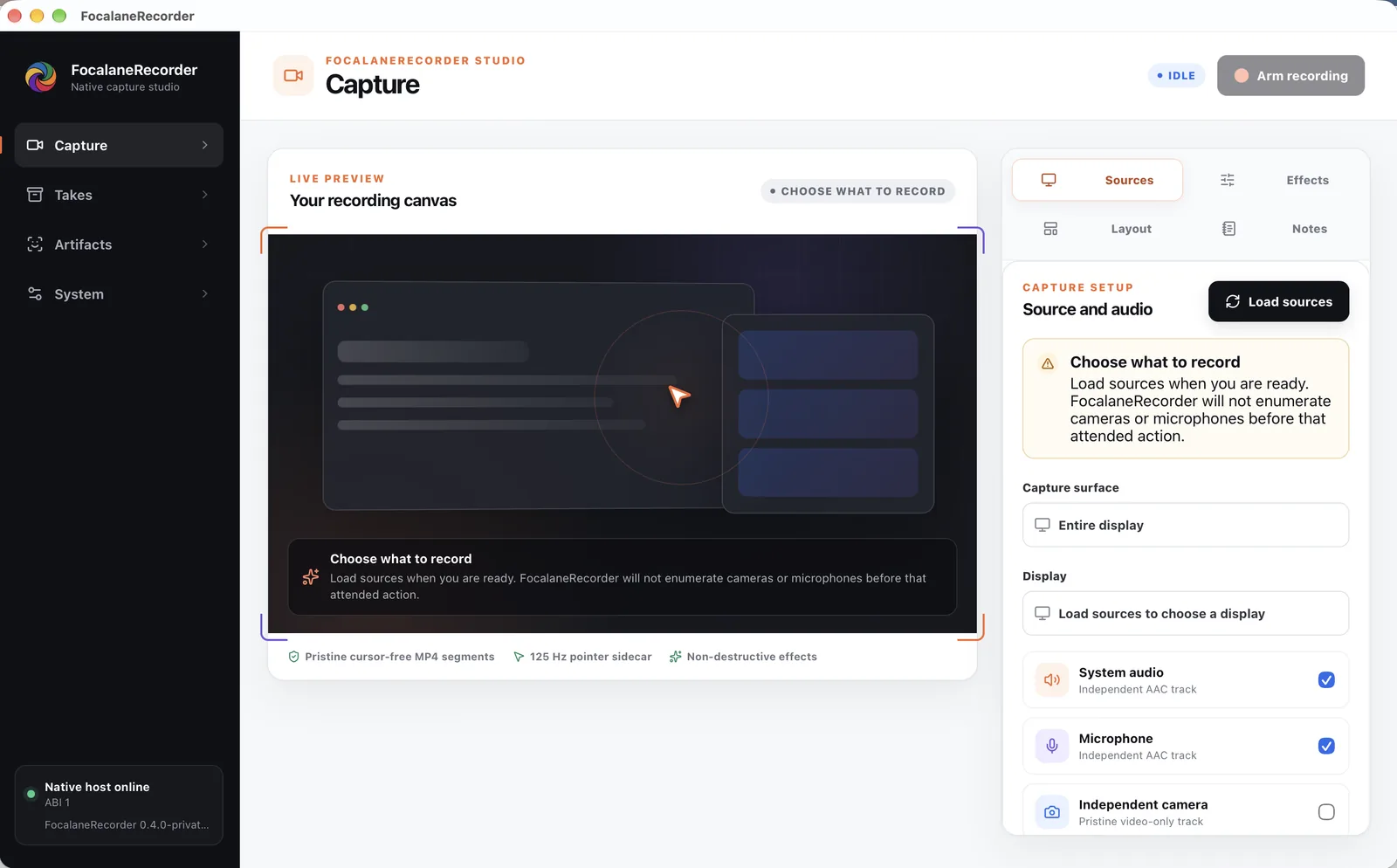
A native macOS capture engine behind a local studio interface. It records cursor-free MP4 segments with a separate 125 Hz pointer track, independent system-audio, microphone, and camera tracks, and non-destructive effects, and it keeps takes in a crash-safe local library. Focalane can request a capture only through an approved grant, and only verified output candidates reach it.
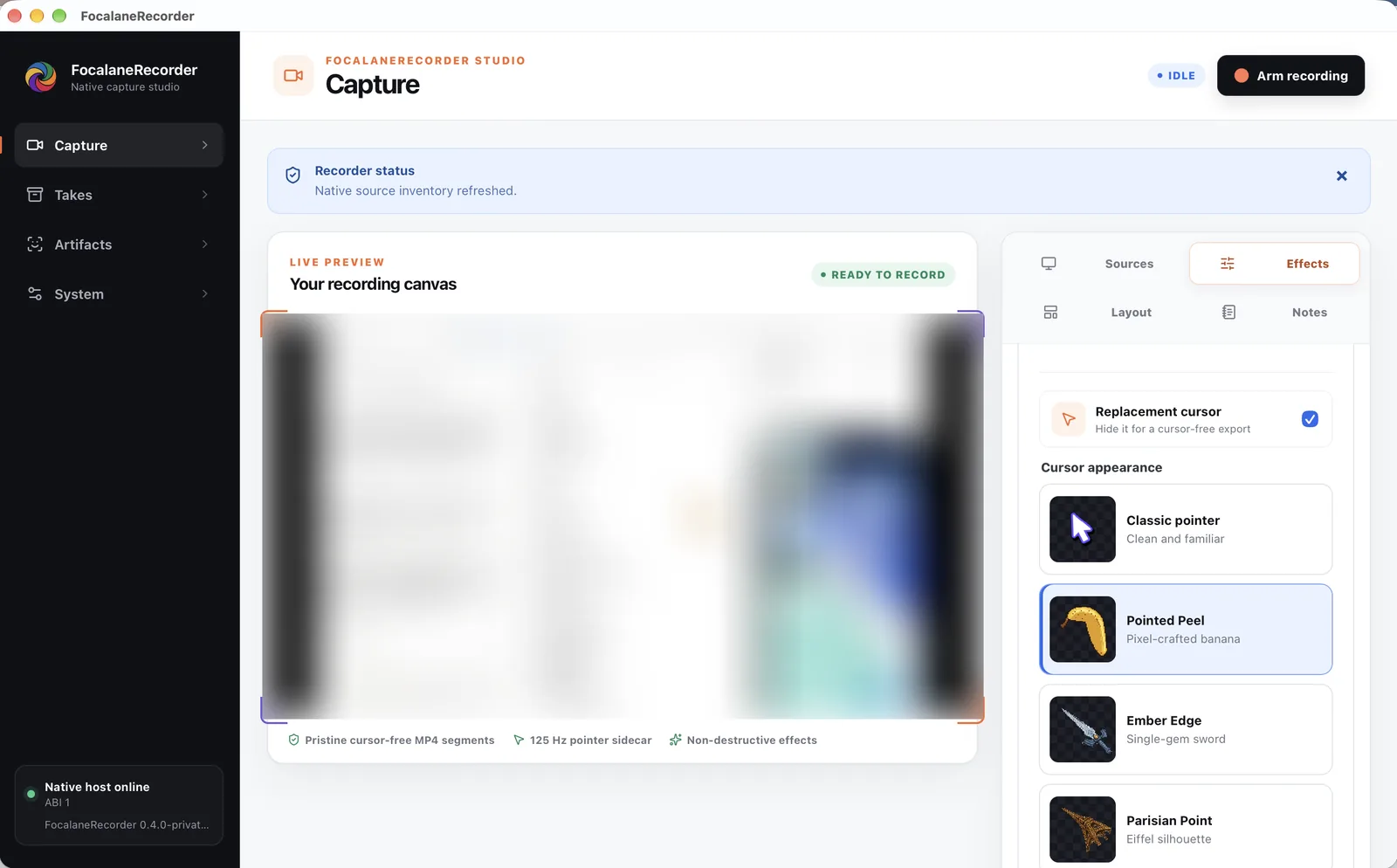
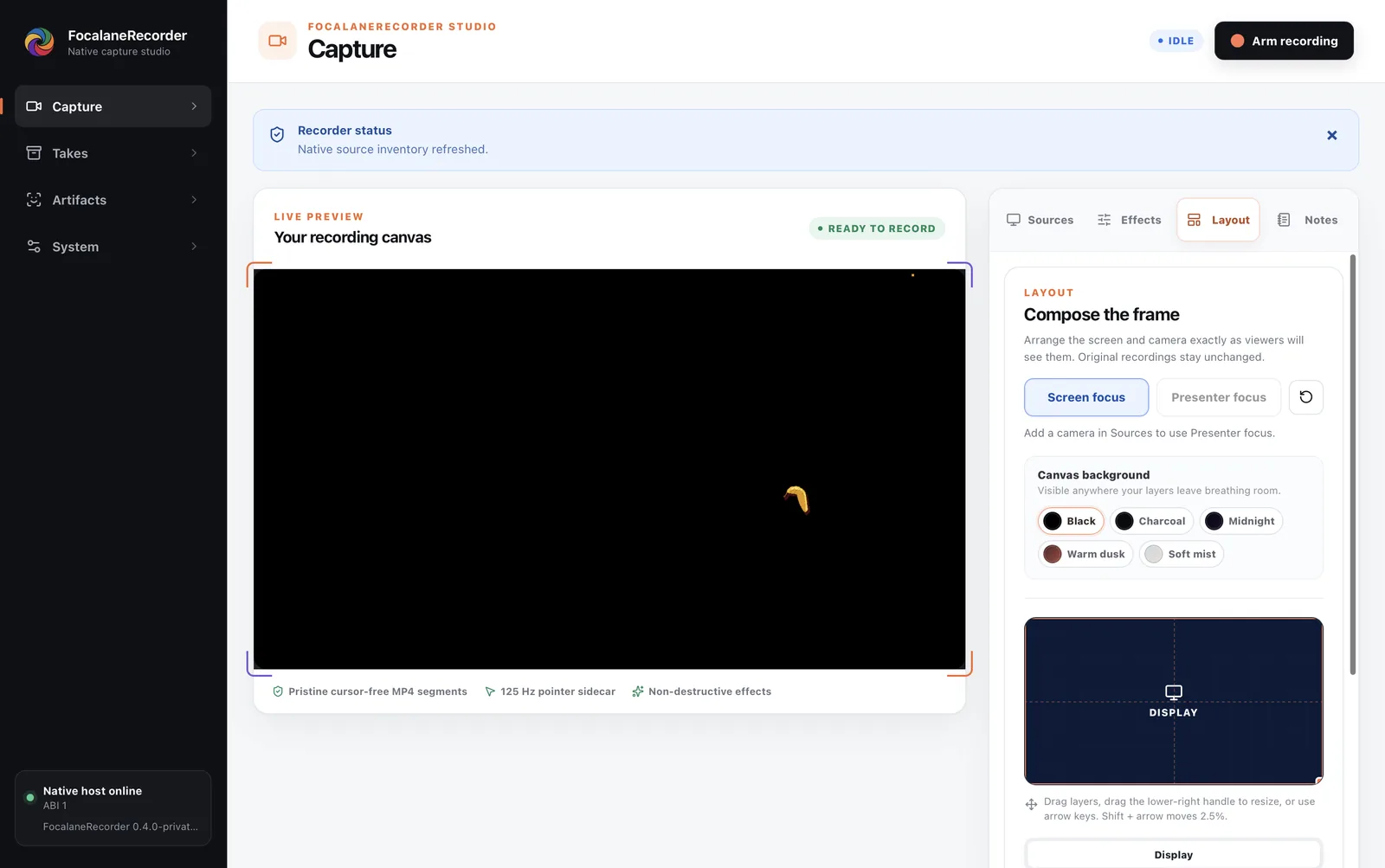
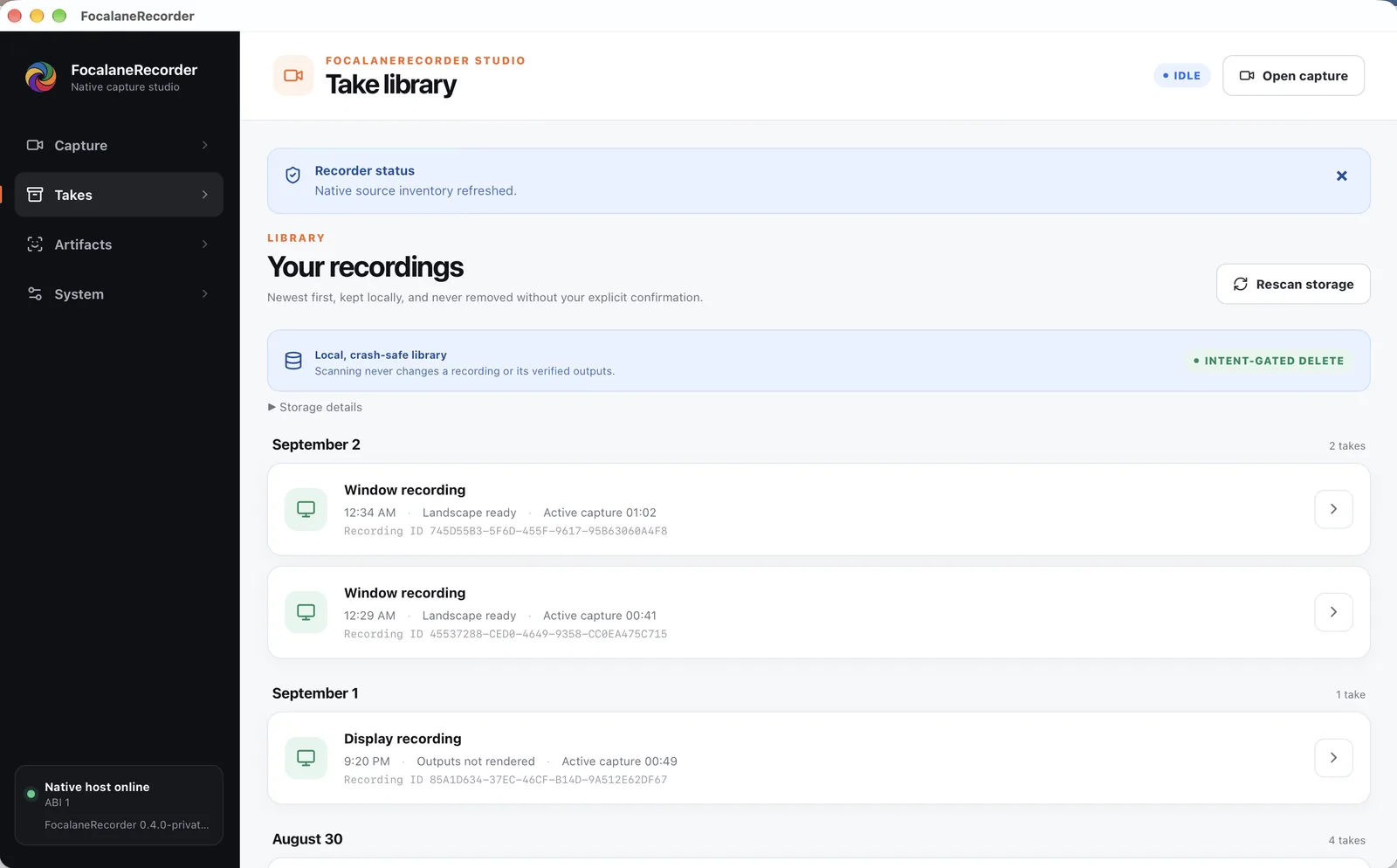
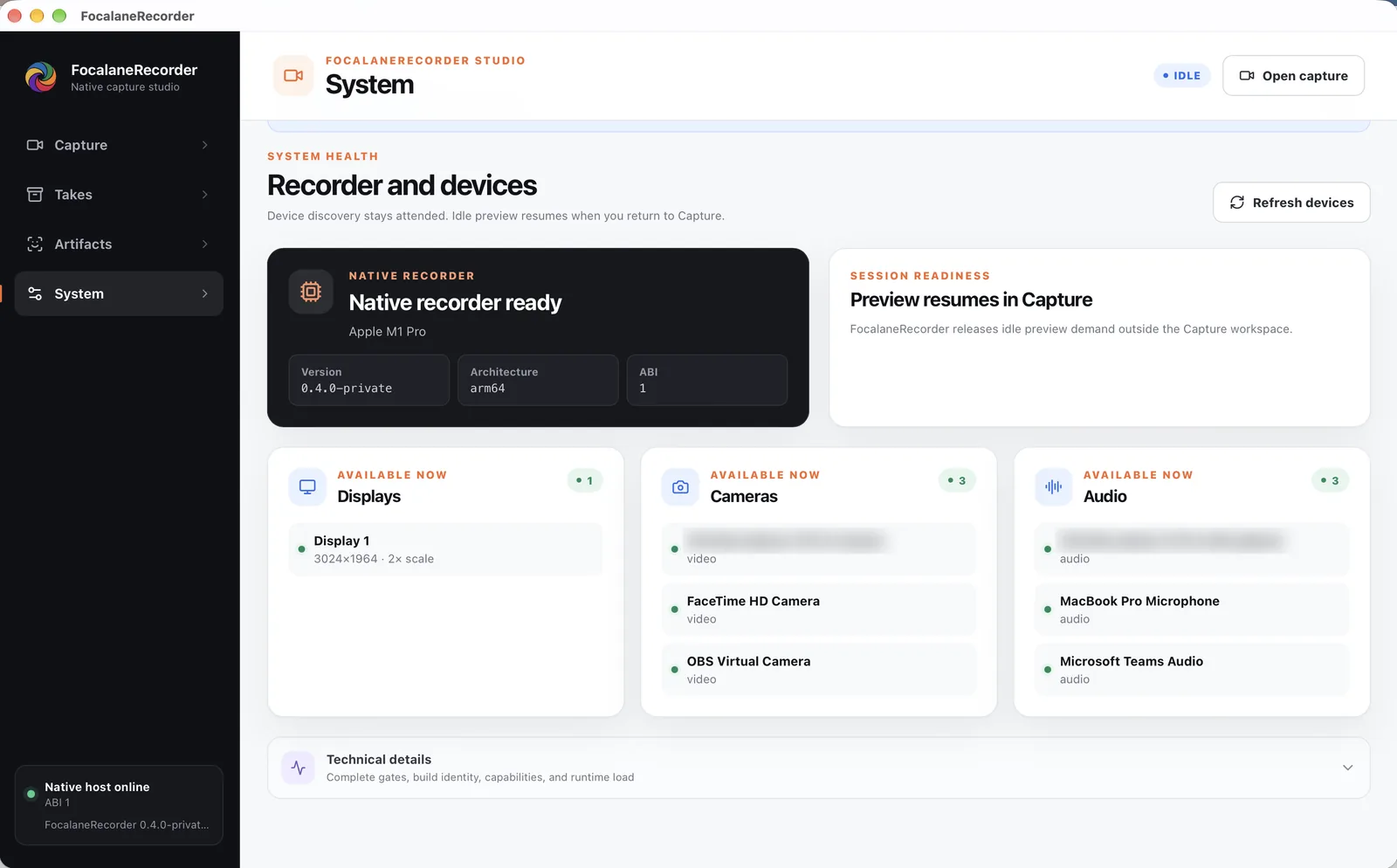
The installed app, version 0.4.0, before any source is loaded. Cameras and microphones are not listed until the owner asks. Screenshot by Christian, 24 September 2026.Replacement cursors in the Effects panel. The live preview showed the owner's screen, so it is blurred. 24 September 2026.Composing the frame in the Layout panel, with the app in full screen. 24 September 2026.The owner's take library. It lists recordings by metadata; no recording content is shown. 24 September 2026.System health on the owner's Mac. Two device names are blurred. 24 September 2026.
Where it stands today
The installed app is a Developer ID signed, Apple-notarized private preview that is not publicly distributed. The Focalane family's Mac recorder took the FocalaneRecorder name on 20 September 2026, moved its app, storage, and connections to that name the next day, and the notarized package of the adopted identity was installed on 22 September. The current installed build, 0.4.1, includes the hosted-pairing code but not a later timing fix, and hosted pairing is not accepted; corrected builds are waiting on Apple notarization and Christian's approval before installation.
Working now
Display or window capture with an optional camera, and independent system-audio and microphone tracks
Cursor-free video with a separate pointer track
Replacement cursors, layouts, and non-destructive effects
Landscape and vertical 1080×1920 masters from the same retained take
Crash-safe local take library with intent-gated delete
A local API, CLI, and MCP that can run only an approved, visible recording session
Not there yet
FocalaneRecorder and FocalaneCapture takes are not combined yet; that waits on FocalaneCapture's filming-readiness check.
Public release and distribution policy are deferred.
How it got here
Screen recording split out of Focalane's pipeline: browser capture bakes the cursor into the pixels and exposes no cursor coordinates
Native Mac recorder started after a browser-recorder experiment could not give a cursor-free screen with synchronized pointer and window geometry; durable takes, separate audio tracks, native preview, and verified export also drove the move
Took the Focalane name
Version 0.4.0 tagged as a private preview
Renamed FocalaneRecorder when the family names were frozen
App, storage, sockets, and Focalane's receiver moved to the new name, with a notarized activation
Notarized package of the adopted FocalaneRecorder identity installed
Hosted pairing code added; not yet accepted
What comes next
Next step
Support Focalane's first planned production batch, with every take still a candidate.
After that
Prove hosted pairing in a signed, notarized package with a real Secure Enclave key before any owner-attended pairing
Non-destructive trim that leaves the raw take unchanged
Manual focus overrides on a timeline
Image backgrounds and named output presets
Proof and fine print
Dated evidence
Signed capture and review attended-acceptedattended
Name decided: FocalaneRecordernaming
App and storage moved to the new name in an attended cutovercutover
Notarized package of the adopted FocalaneRecorder identity installednotarization
Hosted pairing code added and tested; not yet acceptedsource
Boundaries it keeps
Not publicly distributed
Cameras and microphones are listed only after the owner asks
Focalane needs an approved grant to request a capture
Focalane receives only verified output candidates
Hosted pairing is not accepted; corrected builds await notarization and Christian's approval
Christian's role
Defined the capture model, take durability and recovery rules, and the grant boundary with Focalane; directed and reviewed the implementation and ran the attended acceptance.