Gallery / September 2026

What the work looks like.

A church website redesigned by hand, shown before and after, then screens from the systems. Every caption says where the image came from and when it was captured.

Client website · 2025

Cornerstone Community Church

A website redesign for a church in Aurora, Colorado. Christian learned Squarespace for it and designed and built the site by hand, without AI assistance, in March and April 2025. It is still the live site.

Role
Design, build, pastor interviews, photography
Platform
Squarespace, the same site rebuilt in place
Before
Internet Archive, 22 March 2025
After
cornerstoneaurora.org, captured 24 September 2026
01

The whole homepage

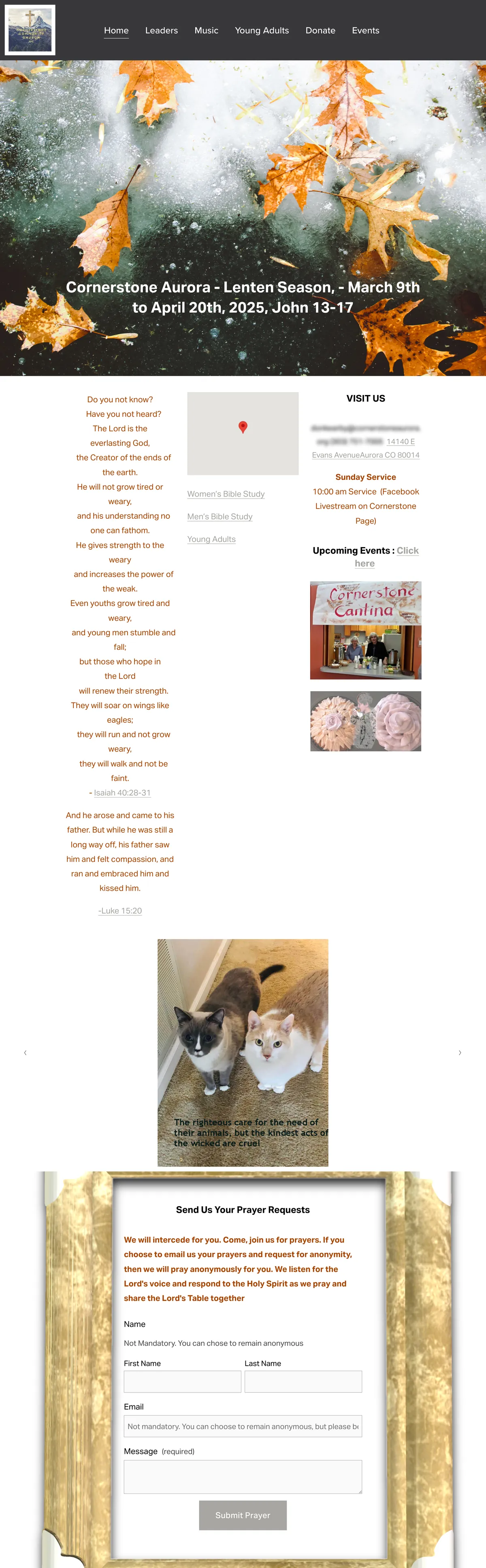
The old homepage stacked a seasonal banner, scripture, visiting details, a photo carousel, and a prayer form. The new one opens with the service time and address, then says who the church is and what happens each week.

Before · archived 22 Mar 2025The entire old Cornerstone homepage on a laptop: a dark header and a large photo of autumn leaves with a Lent banner, then three narrow columns of scripture in orange text, a map, and visiting details, a photo carousel, and a prayer request form inside a gold picture frame.
The old homepage, top to bottom, as archived on 22 March 2025.
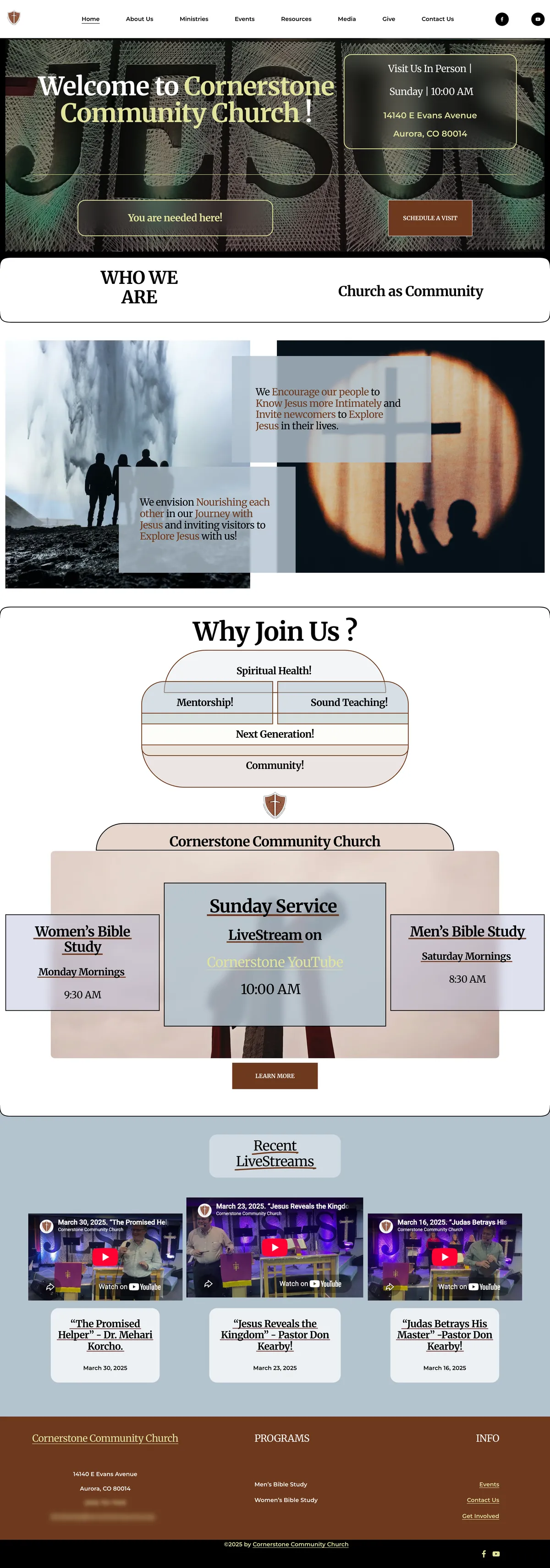
After · live 24 Sep 2026The entire redesigned homepage on a laptop: a welcome with the service time and address over a photo, a Who We Are band, mission statements over two photos, a Why Join Us diagram, cards for the Sunday service and Bible studies, recent livestreams, and a brown footer.
The redesigned homepage, top to bottom, live on 24 September 2026.
02

The first screen

What a visitor sees on a laptop before scrolling: a stock photo and a seasonal banner, then the welcome, service time, address, and a way to schedule a visit.

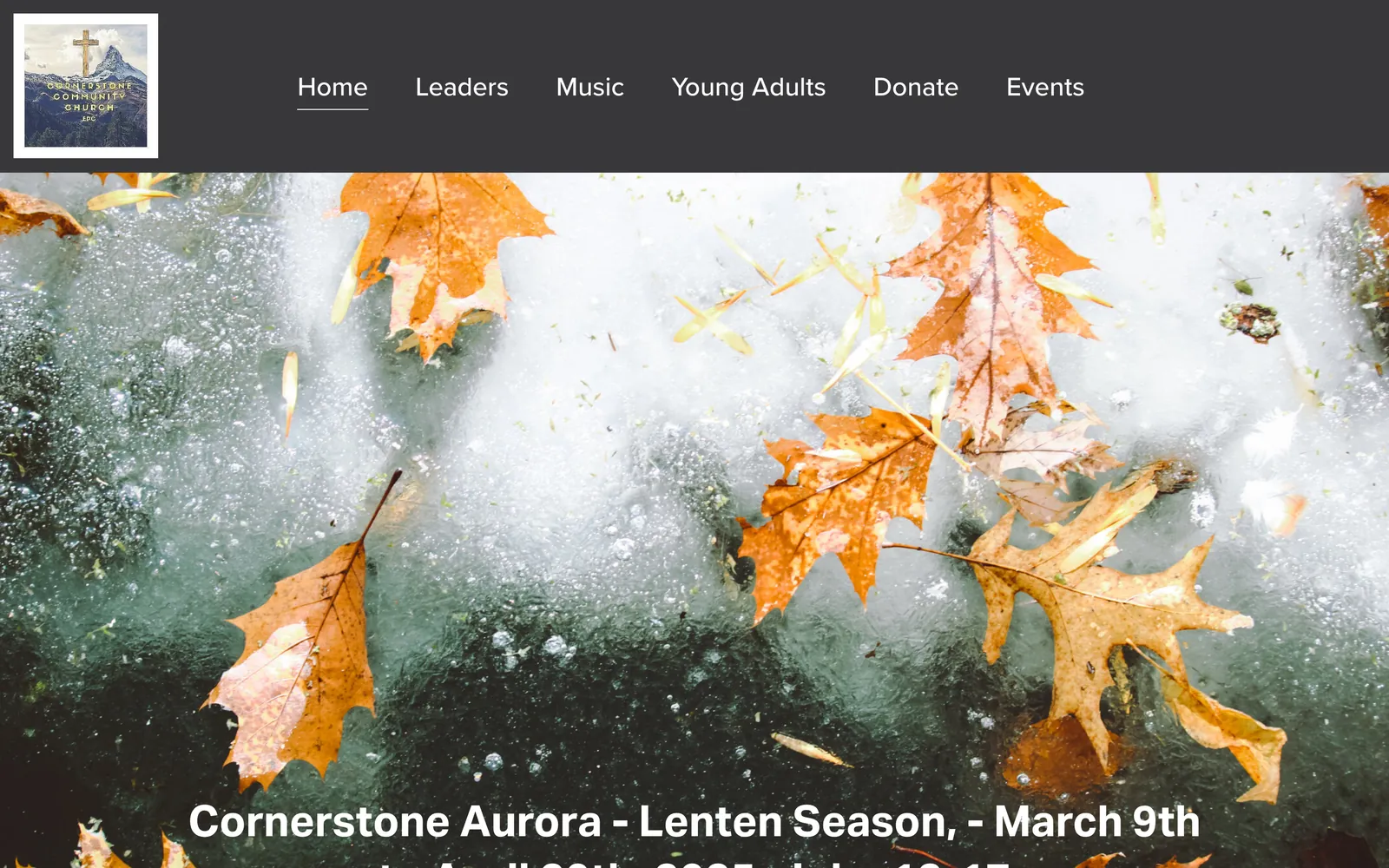
Before · archived 22 Mar 2025The old Cornerstone homepage: a dark header with a square photo logo and six menu items above a full-width stock photo of autumn leaves on ice and a Lent banner.
First screen on a 1440-pixel-wide laptop, archived 22 March 2025.
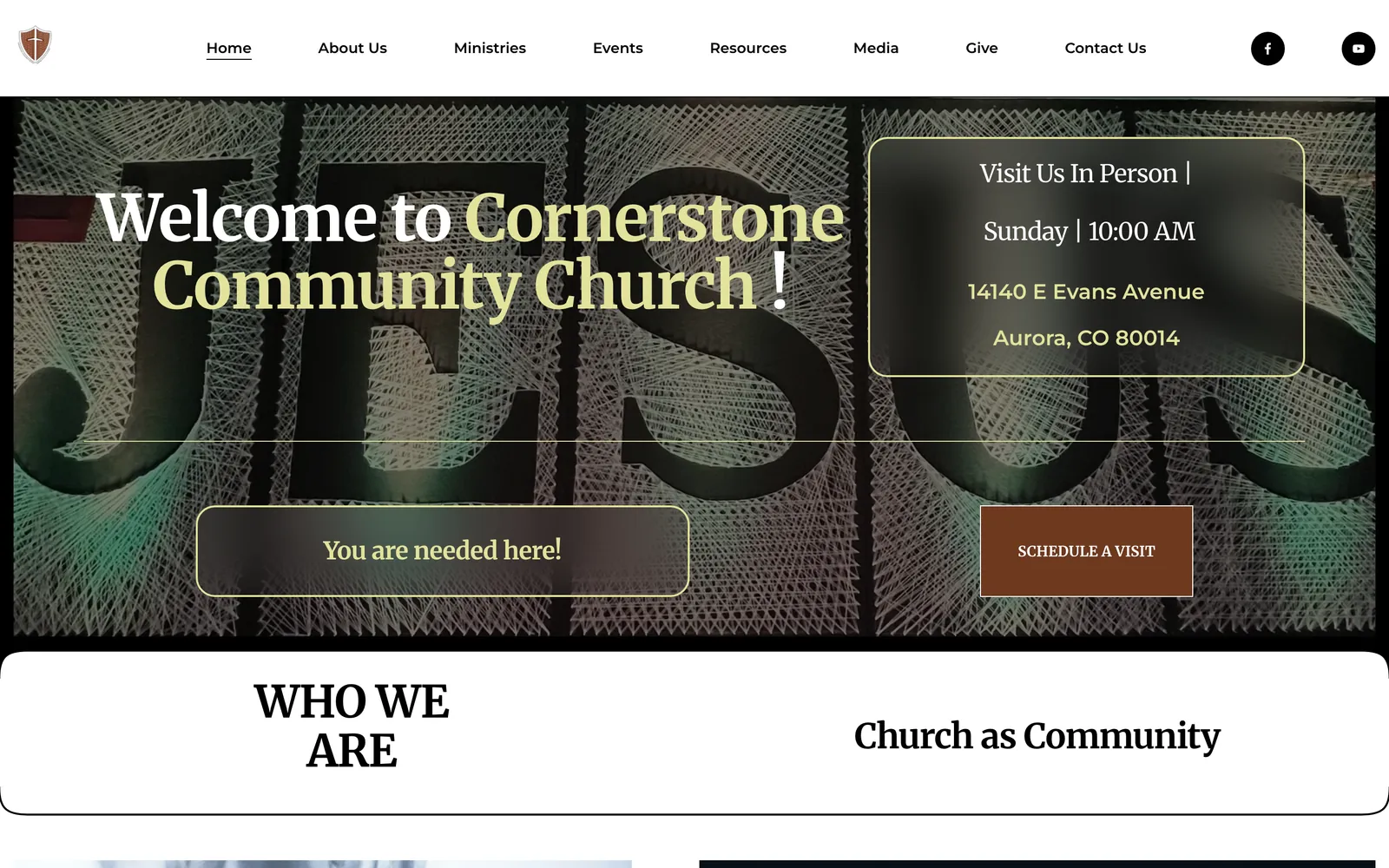
After · live 24 Sep 2026The redesigned Cornerstone homepage: a white header with a shield logo, eight menu items, and social links above a photo of large string-art letters, with the welcome, the Sunday 10:00 AM service time, the street address, and a Schedule a visit button.
First screen on the same laptop size, live on 24 September 2026.
03

Six links, most for a single ministry, became eight sections with grouped menus and social links. The About Us menu is open in the new header.

Before · archived 22 Mar 2025The old site header: a square photo logo on a dark bar with six links: Home, Leaders, Music, Young Adults, Donate, and Events.
Old header, archived 22 March 2025.
After · live 24 Sep 2026The redesigned header: a shield logo, eight links from Home to Contact Us, and social icons, with the About Us menu open to show Our Mission, Our Vision, What We Believe, Leaders, and Elders.
New header with the About Us menu open, live on 24 September 2026.
04

Finding the Sunday service

The service time, address, and contact details used to share one narrow column halfway down the page. Now each weekly gathering has its own card with a day and time.

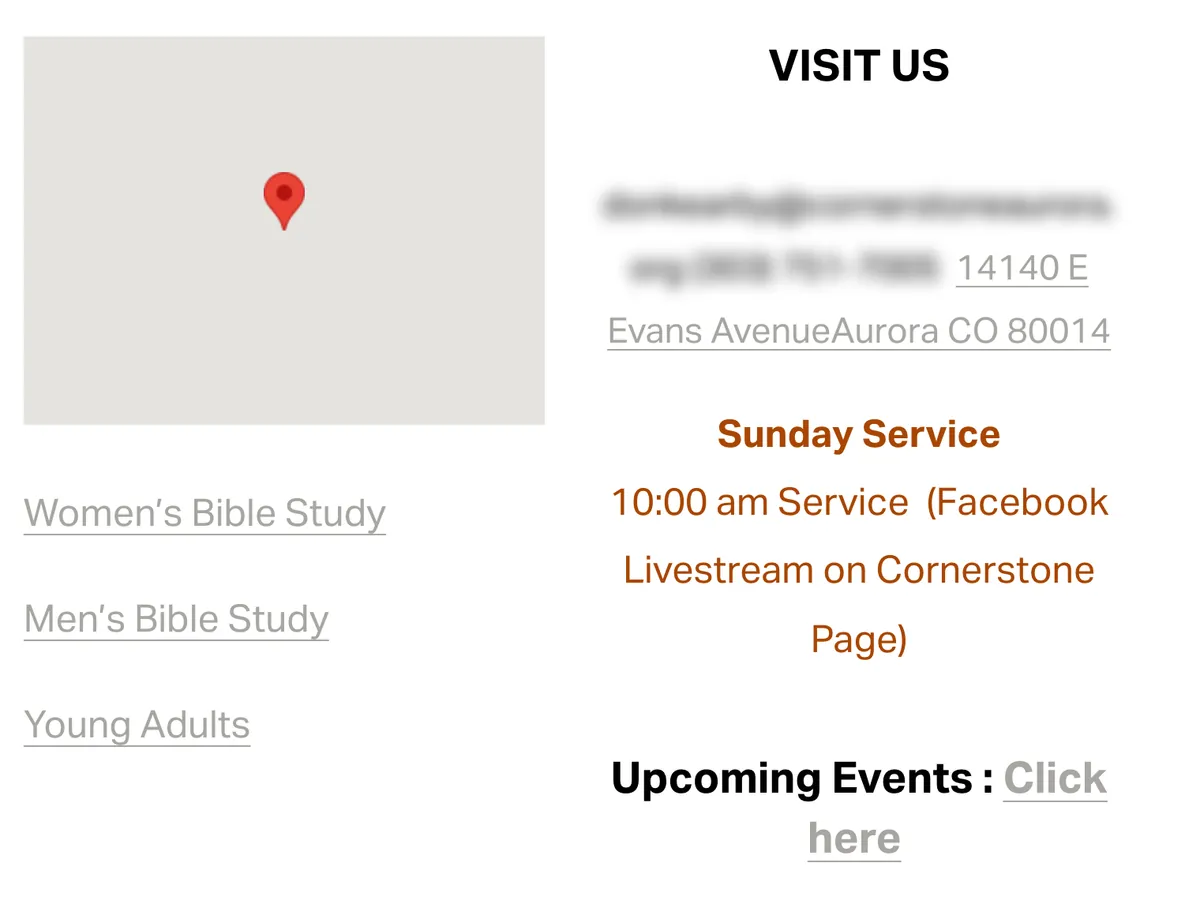
Before · archived 22 Mar 2025Close-up of the old homepage's visiting details: a grey map placeholder and links to Bible studies beside a Visit Us column where a blurred email and phone number run into the street address, followed by the Sunday service time in small orange text and an Upcoming Events link.
Visiting details on the old homepage. The archive does not render the embedded map.
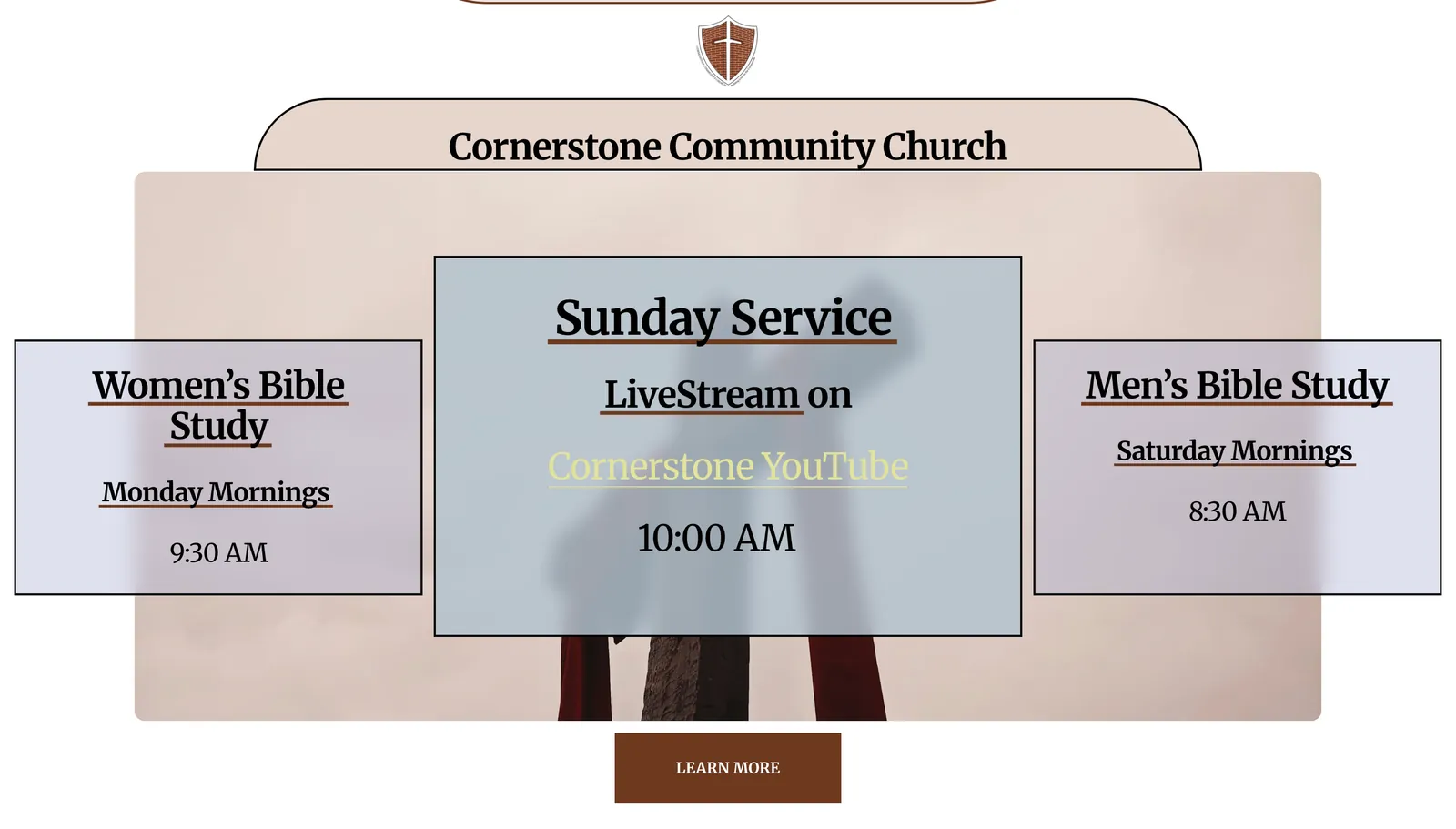
After · live 24 Sep 2026Close-up of the redesigned homepage: a Sunday Service card with the livestream link and the 10:00 AM time, between Women's Bible Study on Monday mornings at 9:30 AM and Men's Bible Study on Saturday mornings at 8:30 AM, above a Learn more button.
Weekly gatherings on the new homepage.
05

Saying who the church is

The old homepage opened its content with long Bible passages in centred orange text. The new one states the church's purpose in two short lines over photographs, then gives five reasons to join.

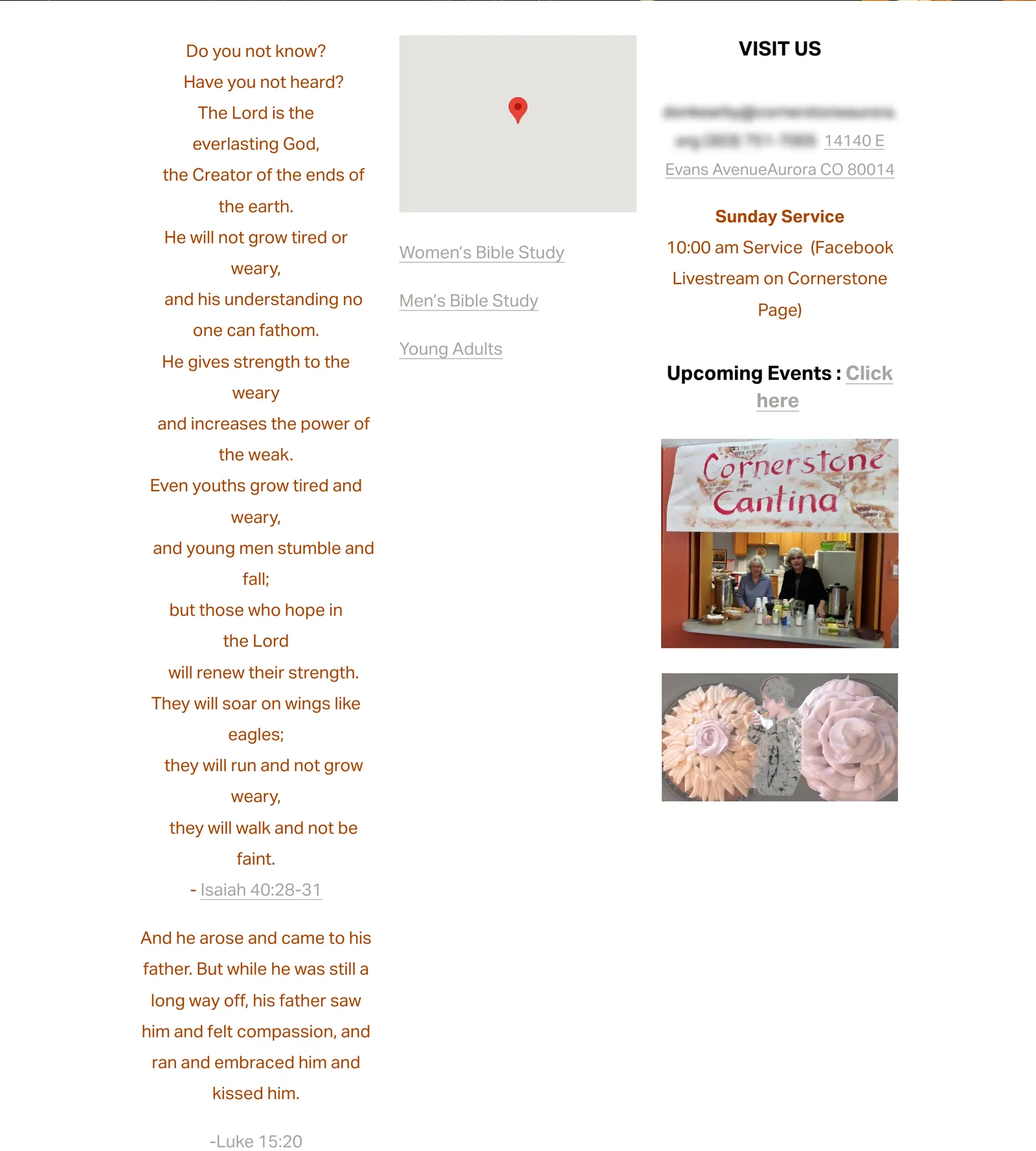
Before · archived 22 Mar 2025Part of the old homepage: three columns with Bible passages in centred orange text, a grey map placeholder with links to Bible studies, and a Visit Us column with event photos.
The content below the banner on the old homepage.
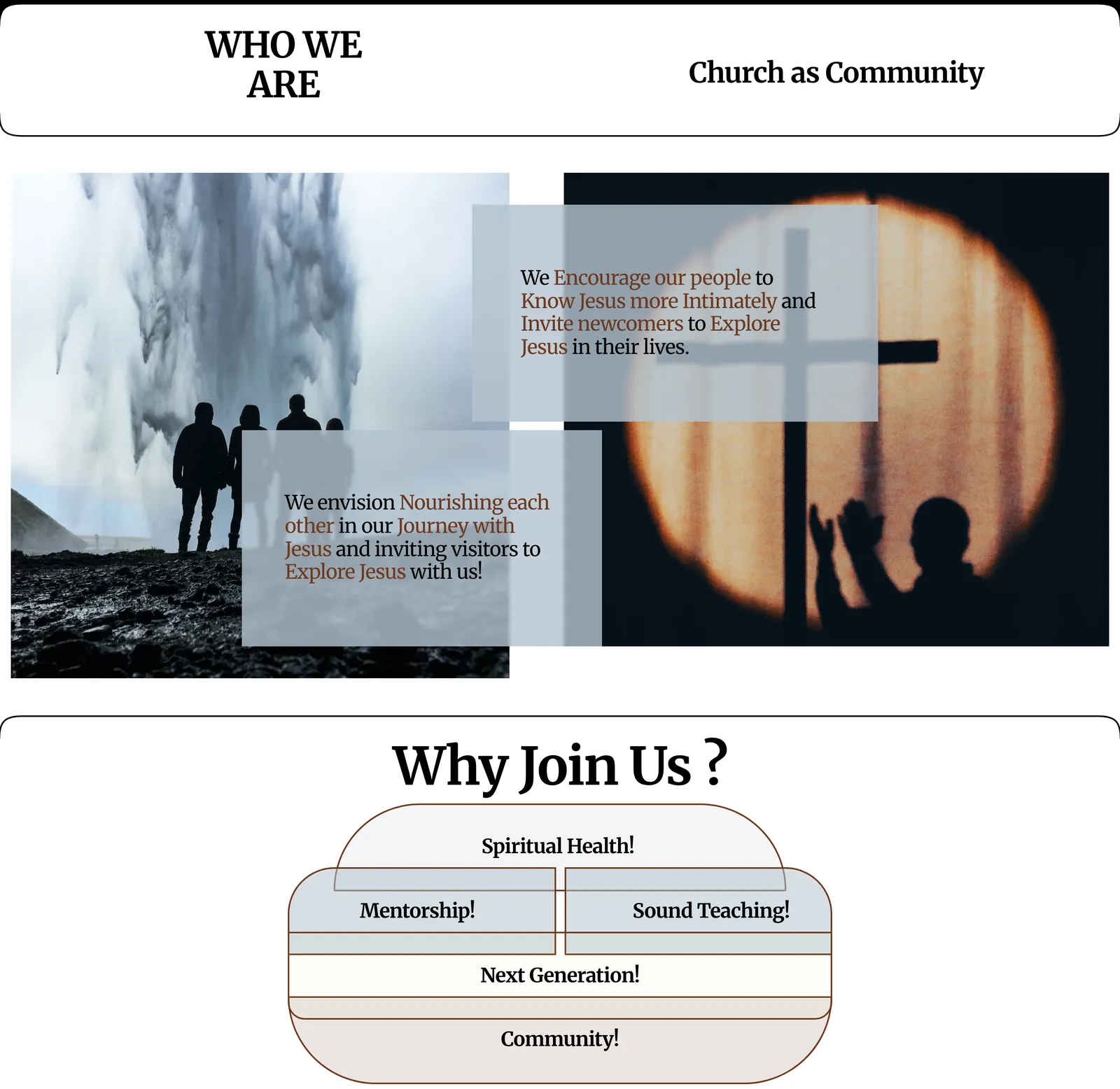
After · live 24 Sep 2026Part of the redesigned homepage: a Who We Are band, two mission statements set over photographs, and a Why Join Us diagram listing Spiritual Health, Mentorship, Sound Teaching, Next Generation, and Community.
The content below the welcome on the new homepage.
06

Getting in touch

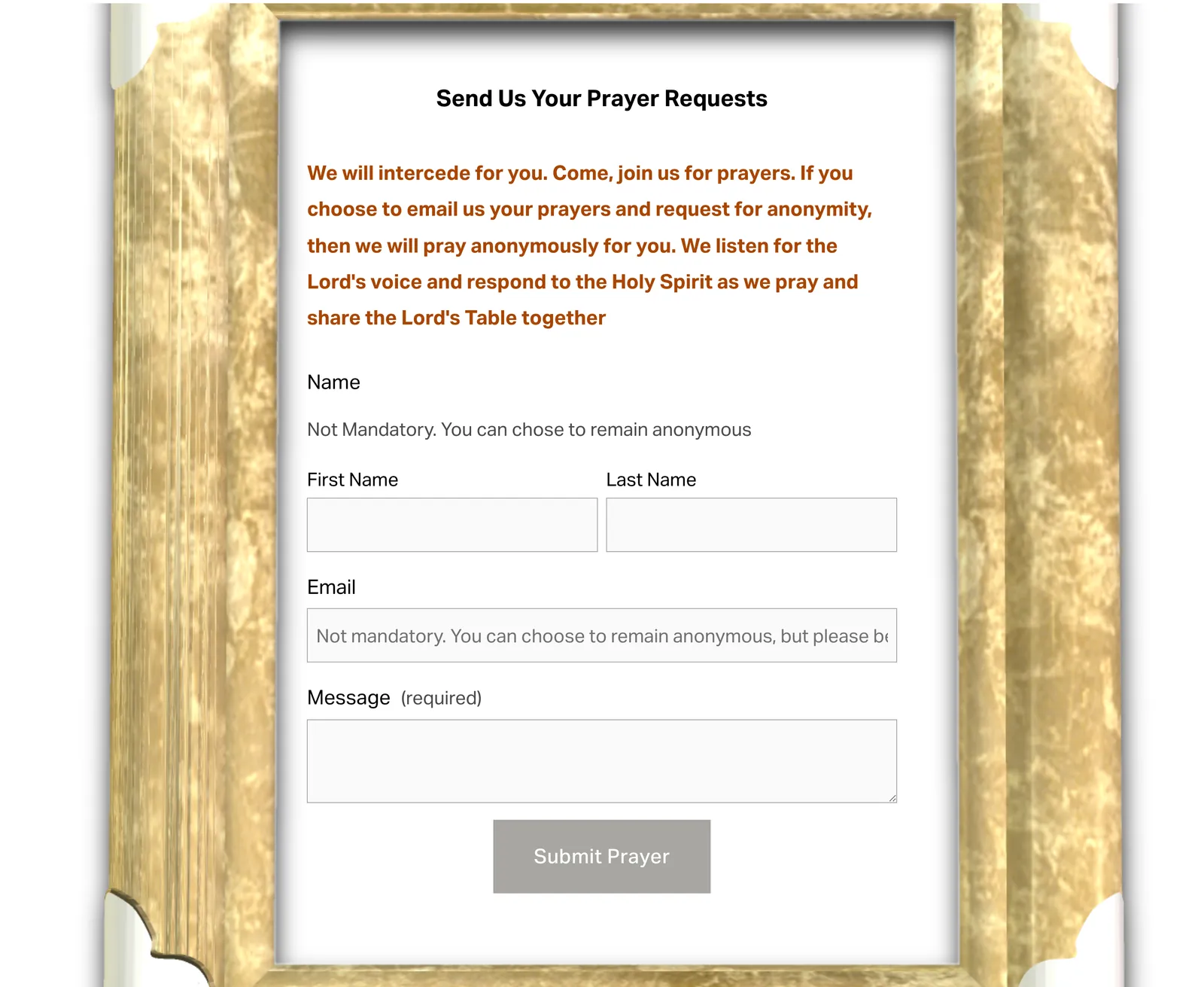
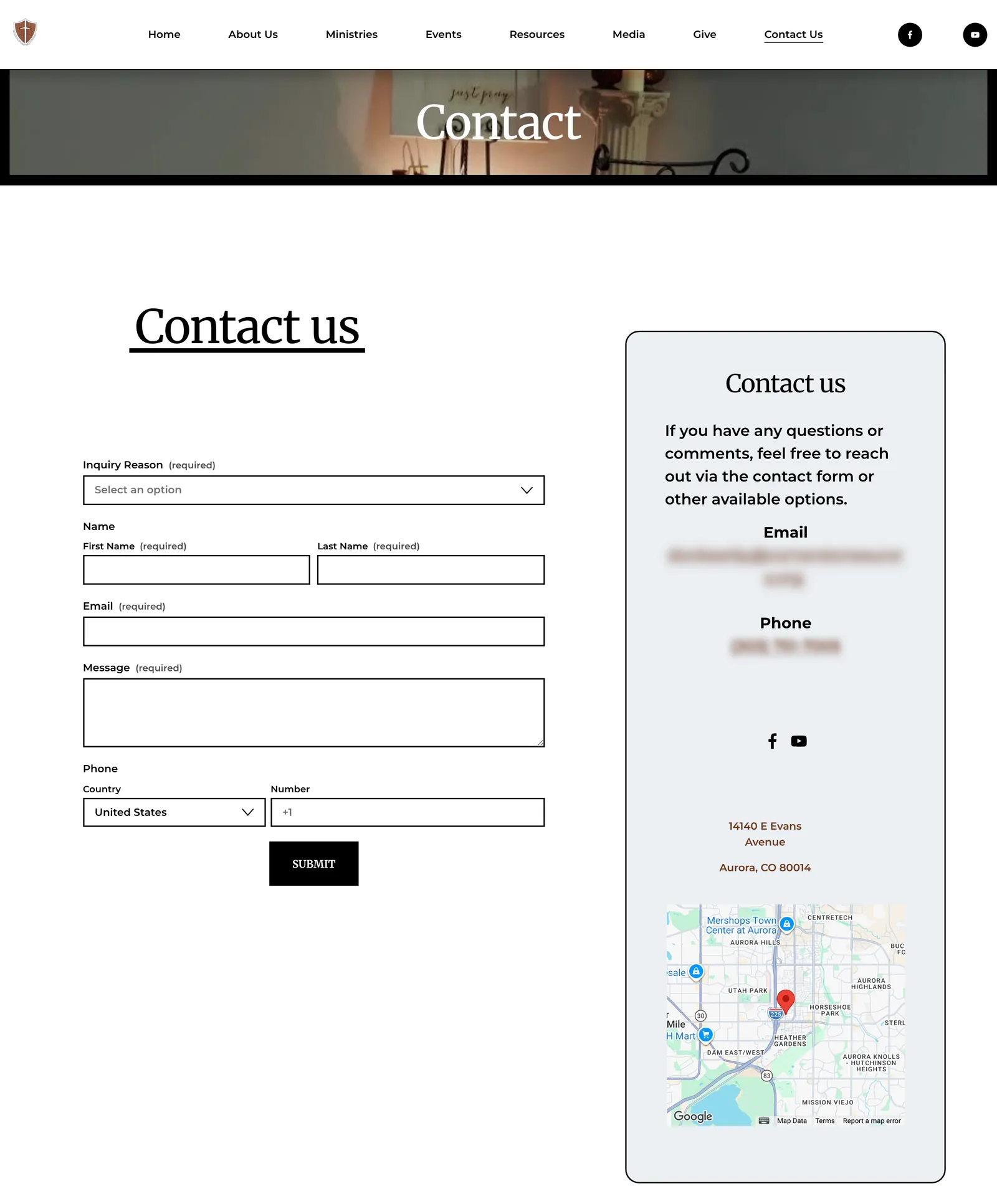
The old homepage ended with a prayer request form inside a gold picture frame. The new site gives contact its own page, with an inquiry reason, the address, and a map. These are different pages, compared by purpose.

Before · archived 22 Mar 2025The old prayer request form: name, email, and message fields inside an ornate gold picture frame.
Prayer request form at the bottom of the old homepage.
After · live 24 Sep 2026The redesigned Contact page: a form with an inquiry reason, name, email, message, and phone fields beside a contact card with a blurred email and phone number, the street address, and a map.
The new Contact page.
07

The whole homepage on a phone

The first screen on a phone went from a full-screen photo to the welcome, service time, and address. Scroll inside each phone to read the rest of the page.

Before · archived 22 Mar 2025
The entire old homepage on a phone: the leaves photo and Lent banner, a long column of scripture in orange text, a map placeholder, visiting details, event photos, a photo carousel, and the framed prayer form.
Archived 22 March 2025. Open full size
After · live 24 Sep 2026
The entire redesigned homepage on a phone: the welcome and service details, Who We Are, mission statements, Why Join Us, cards for the Sunday service and Bible studies, three recent livestreams, and the footer.
Live 24 September 2026. Open full size
08

More of the new site

The Internet Archive saved only the old homepage, so these pages have no before image.

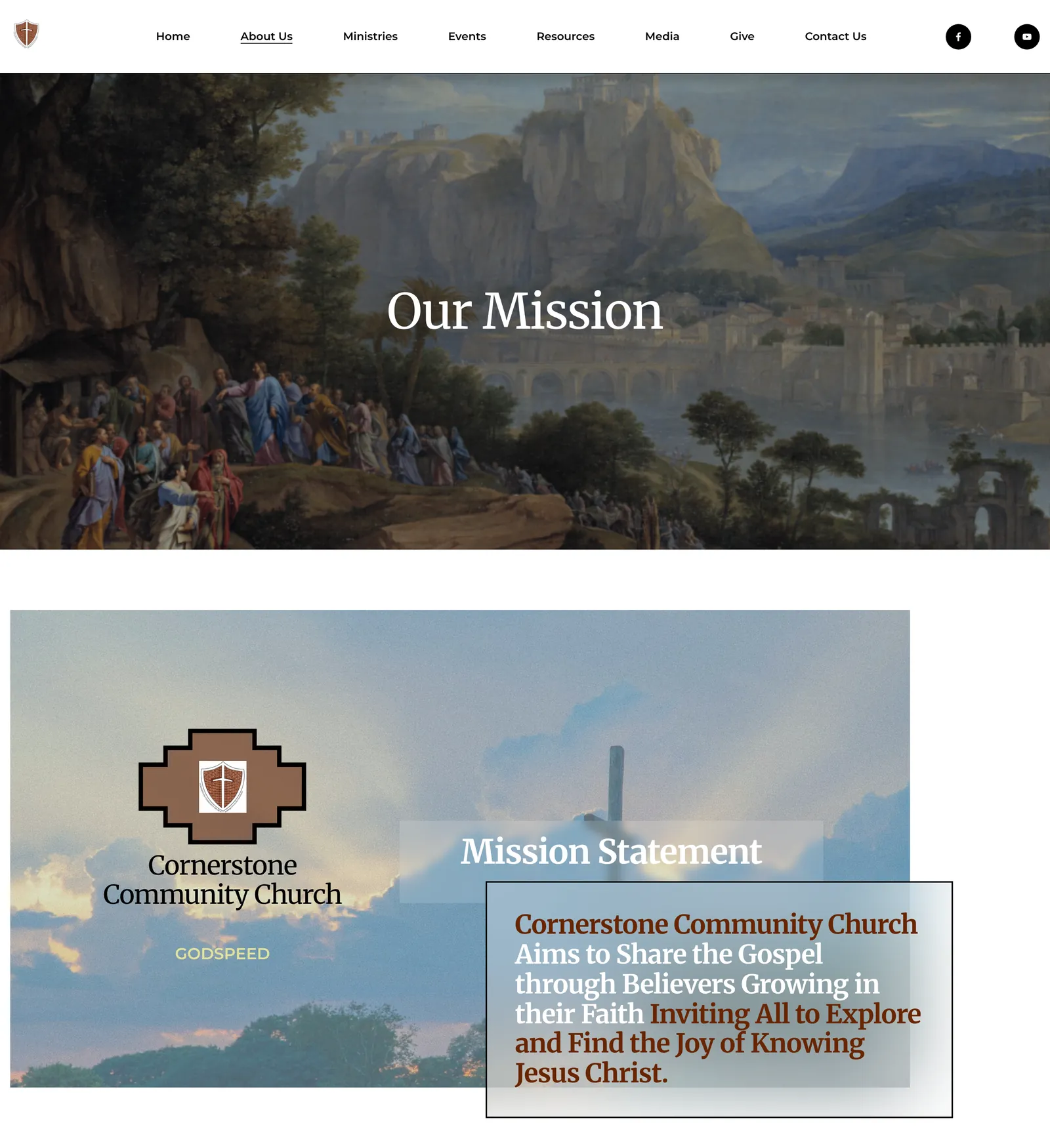
Live · 24 Sep 2026The Cornerstone Our Mission page: a painted banner titled Our Mission, then the mission statement over a photograph with the shield logo, and the start of a section on bringing the mission to life.
Our Mission.
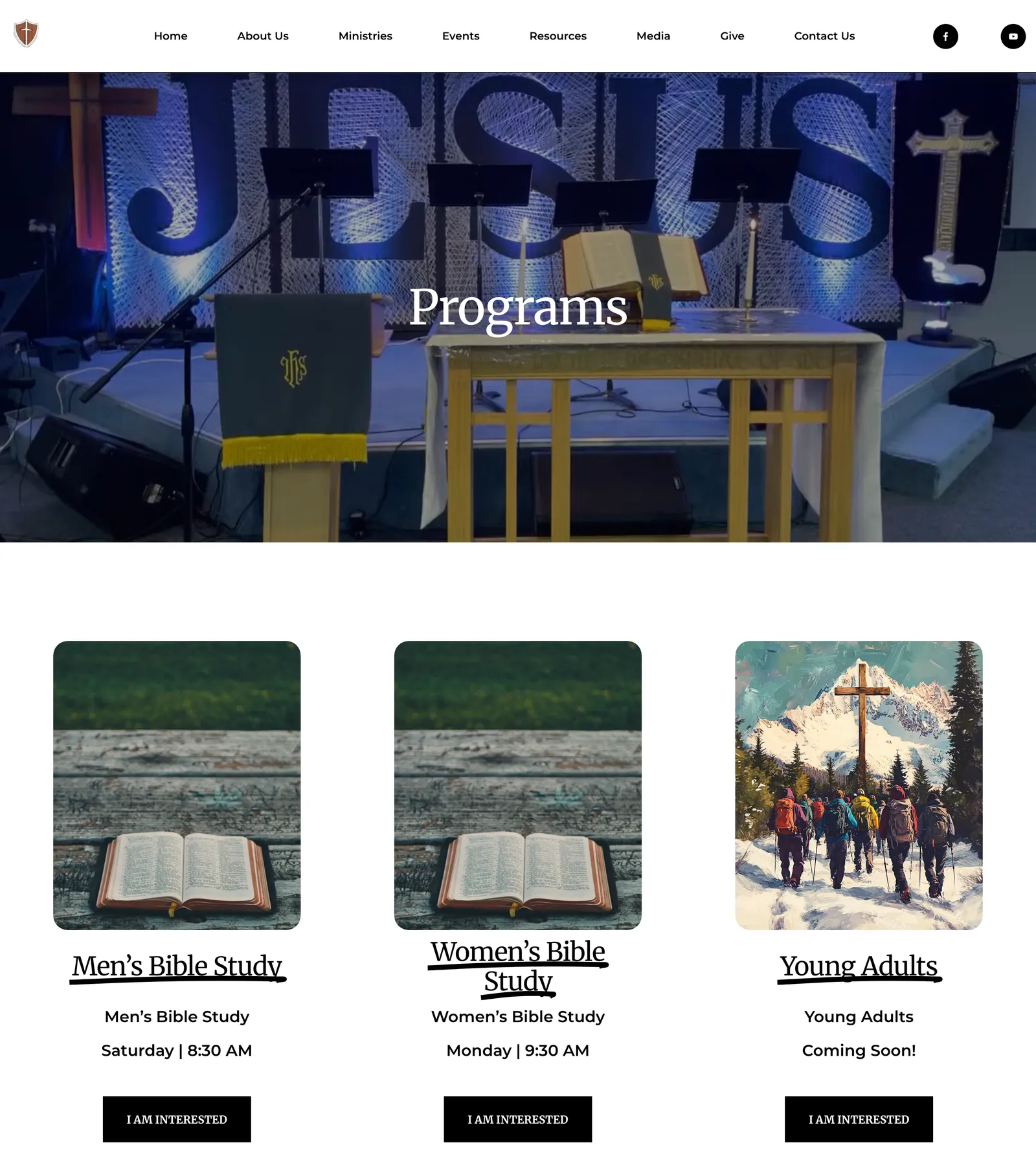
Live · 24 Sep 2026The Cornerstone Programs page: a banner photo of the sanctuary titled Programs, then cards for Men's Bible Study, Women's Bible Study, and Young Adults with meeting times and I am interested buttons.
Programs, with the weekly Bible studies and a Young Adults group marked coming soon.
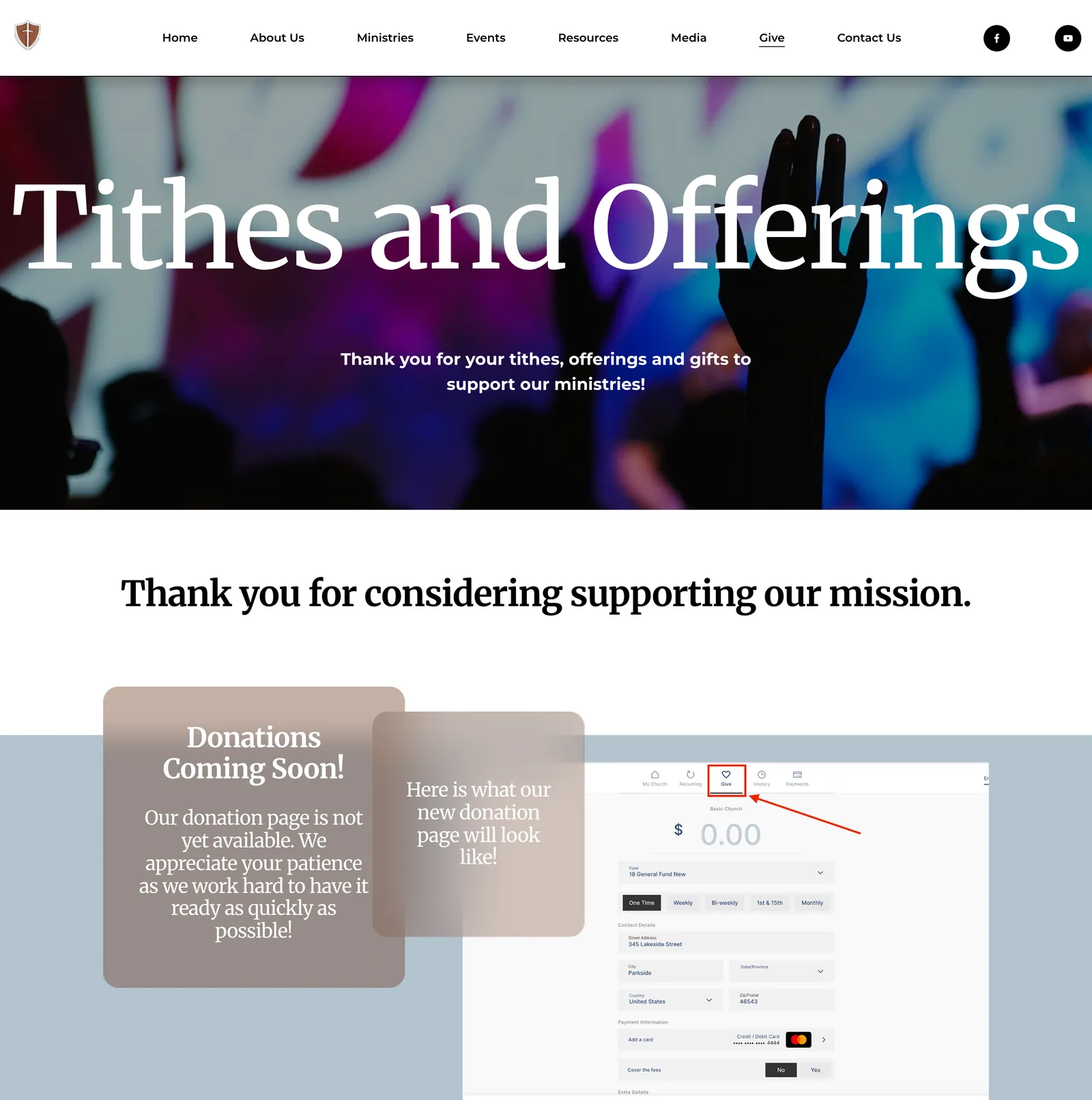
Live · 24 Sep 2026The Cornerstone giving page: a banner titled Tithes and Offerings, a thank-you line, and a Donations Coming Soon card beside a preview of the donation form.
Giving, with online donations marked as coming soon on the live site.

Operational system

Focalane

Read the record →
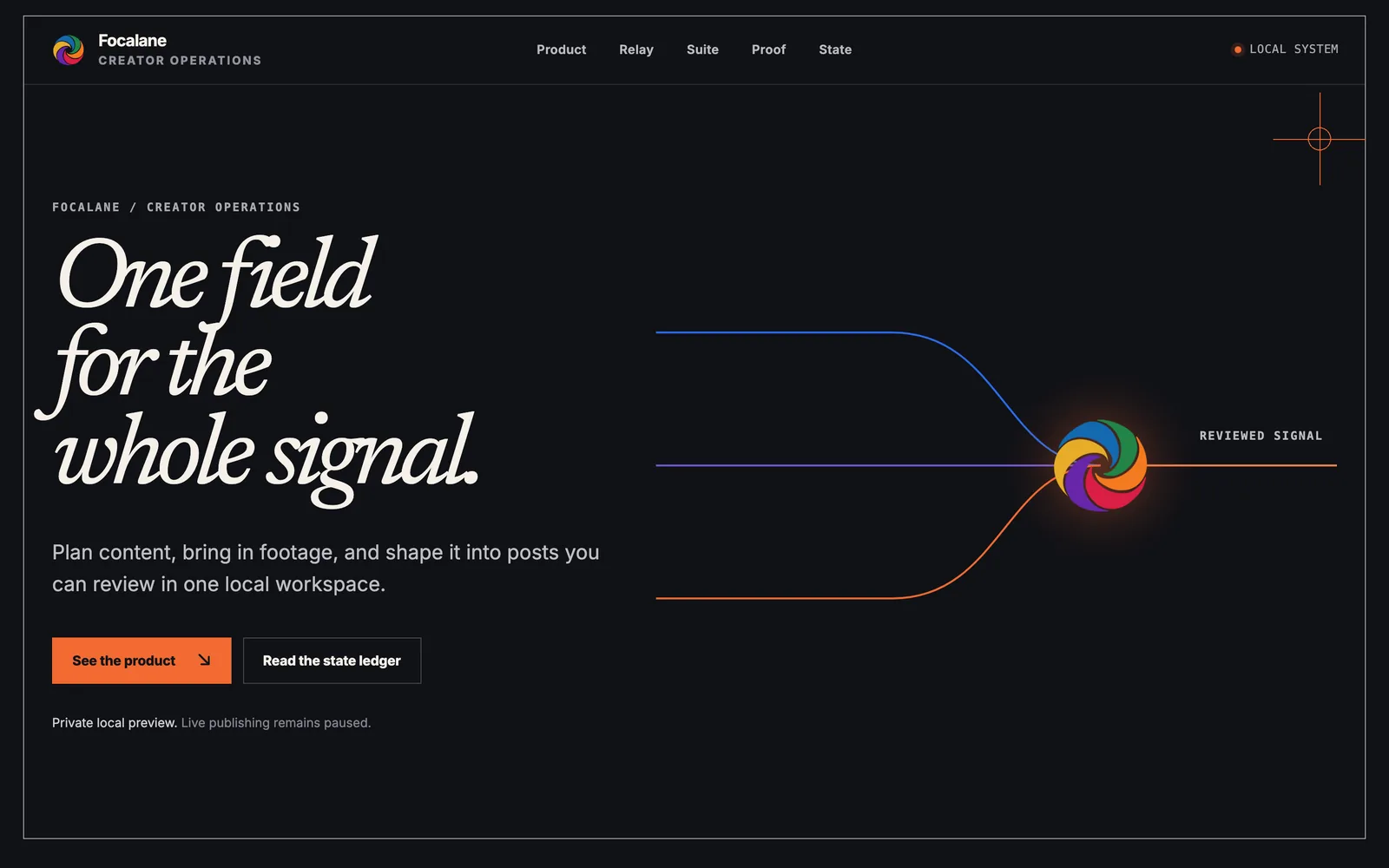
Focalane landing page on a dark background headed “One field for the whole signal.”, with three colored lines converging on the Focalane mark and a note that live publishing remains paused.
Focalane's family landing page. It runs locally and is not publicly deployed. Captured 24 September 2026.
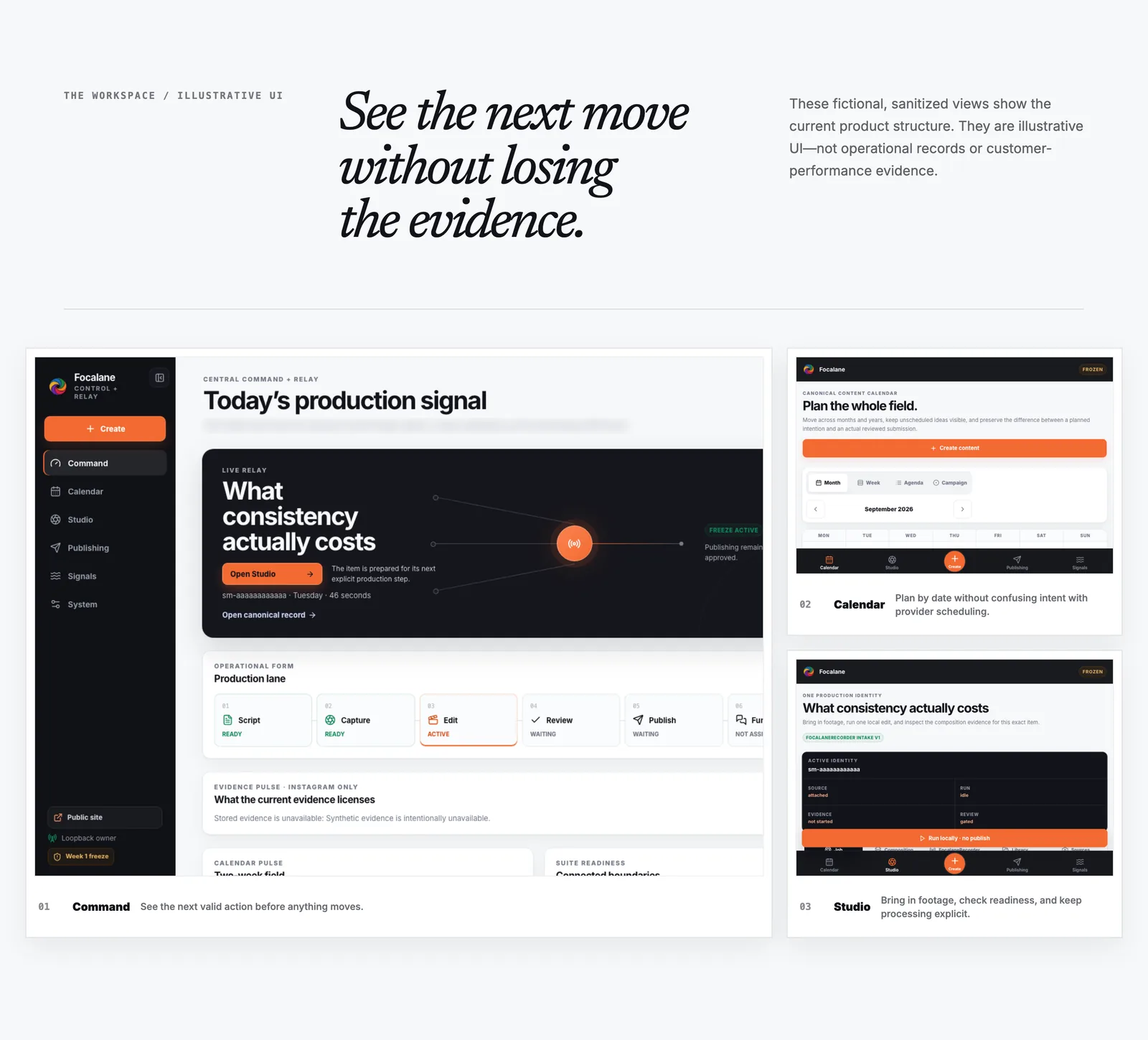
Focalane landing section “See the next move without losing the evidence.” with fictional console views: Command showing today's production signal and a production lane, then Calendar and Studio.
Fictional, sanitized console views from the landing page, not operational records. One subtitle line is blurred. Captured 24 September 2026.
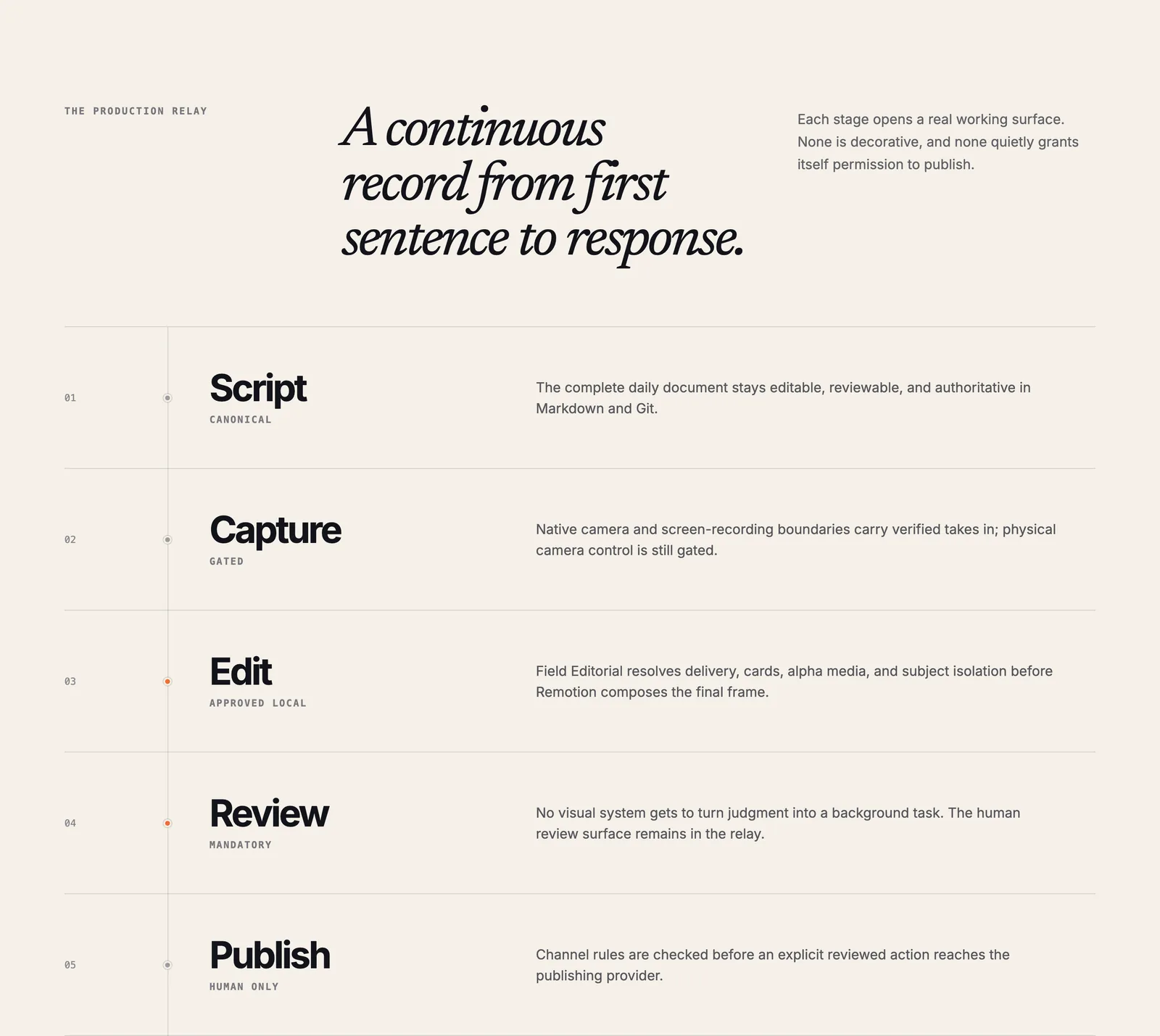
Focalane landing section “A continuous record from first sentence to response.” listing production stages: Script is canonical, Capture is gated, Edit is approved locally, Review is mandatory, and Publish is human only.
The first five stages of the production relay, as the landing page describes them. Captured 24 September 2026.

Notarized private macOS recorder

FocalaneRecorder

Read the record →
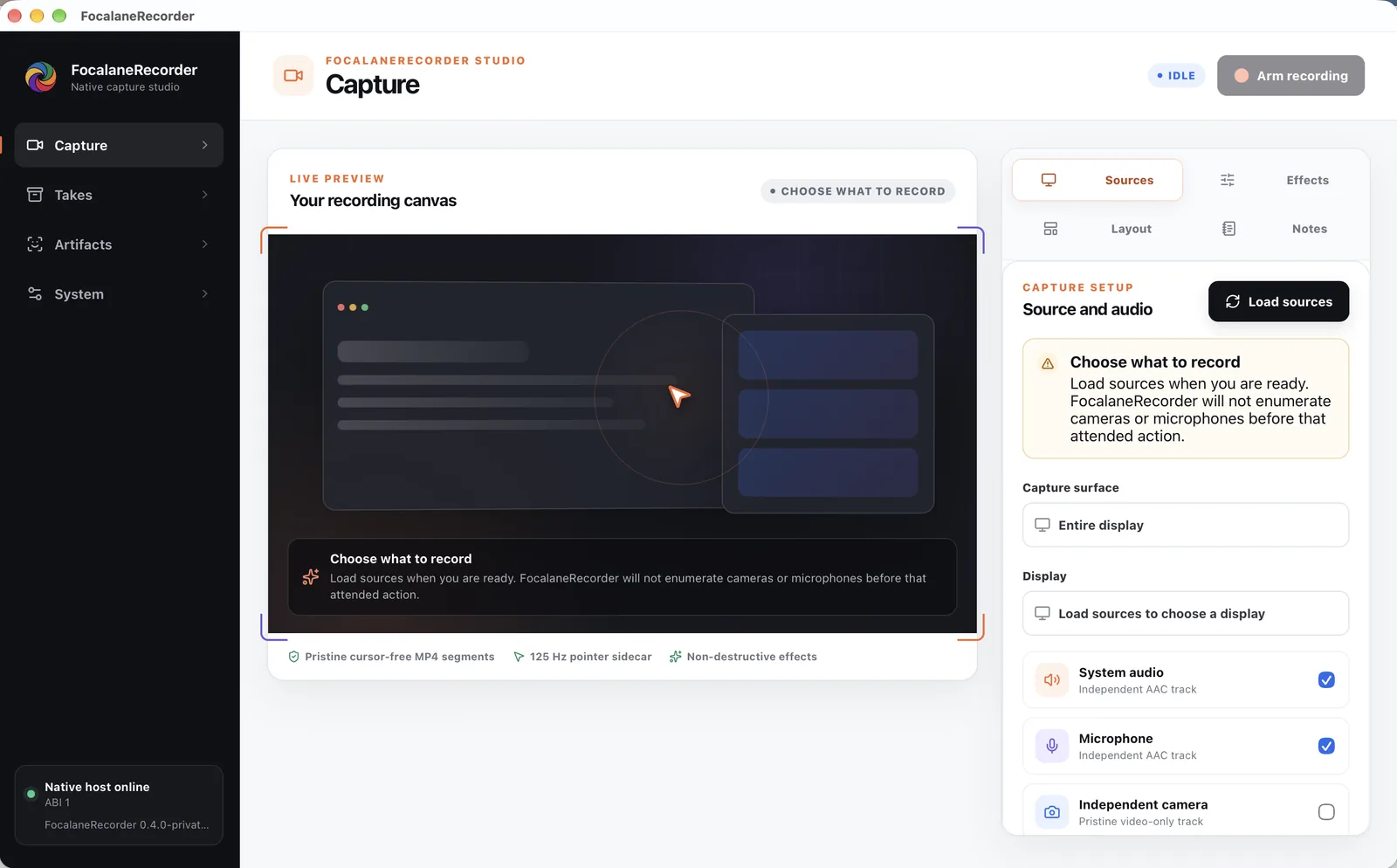
FocalaneRecorder Capture screen before any source is loaded: a recording canvas asking what to record, and a source panel with a Load sources button, system audio and microphone tracks, and an optional independent camera.
The installed app, version 0.4.0, before any source is loaded. Cameras and microphones are not listed until the owner asks. Screenshot by Christian, 24 September 2026.
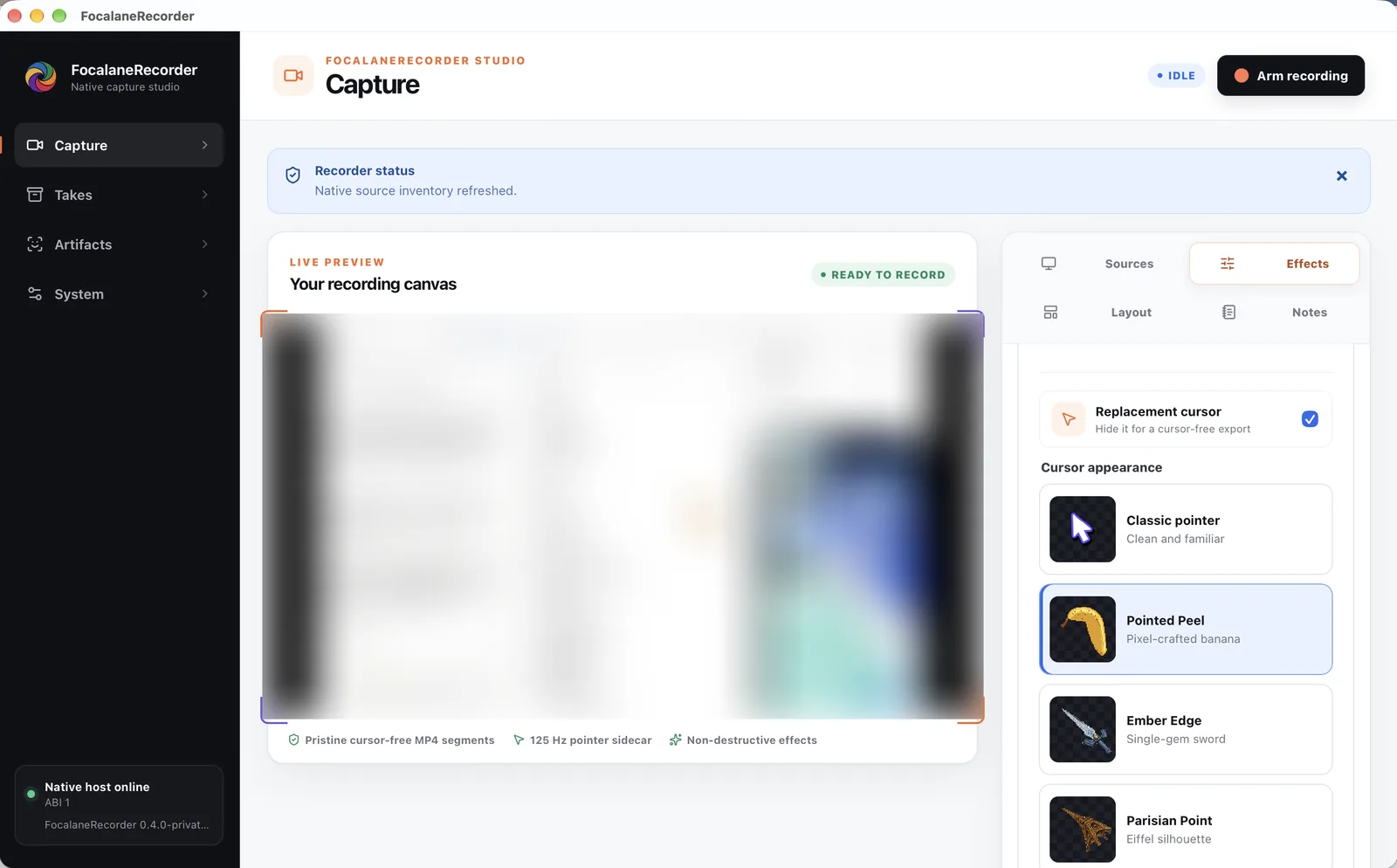
FocalaneRecorder ready to record with the Effects panel open on replacement cursors: Classic pointer, a pixel-crafted banana called Pointed Peel, a sword called Ember Edge, and an Eiffel silhouette called Parisian Point. The live preview is blurred.
Replacement cursors in the Effects panel. The live preview showed the owner's screen, so it is blurred. 24 September 2026.
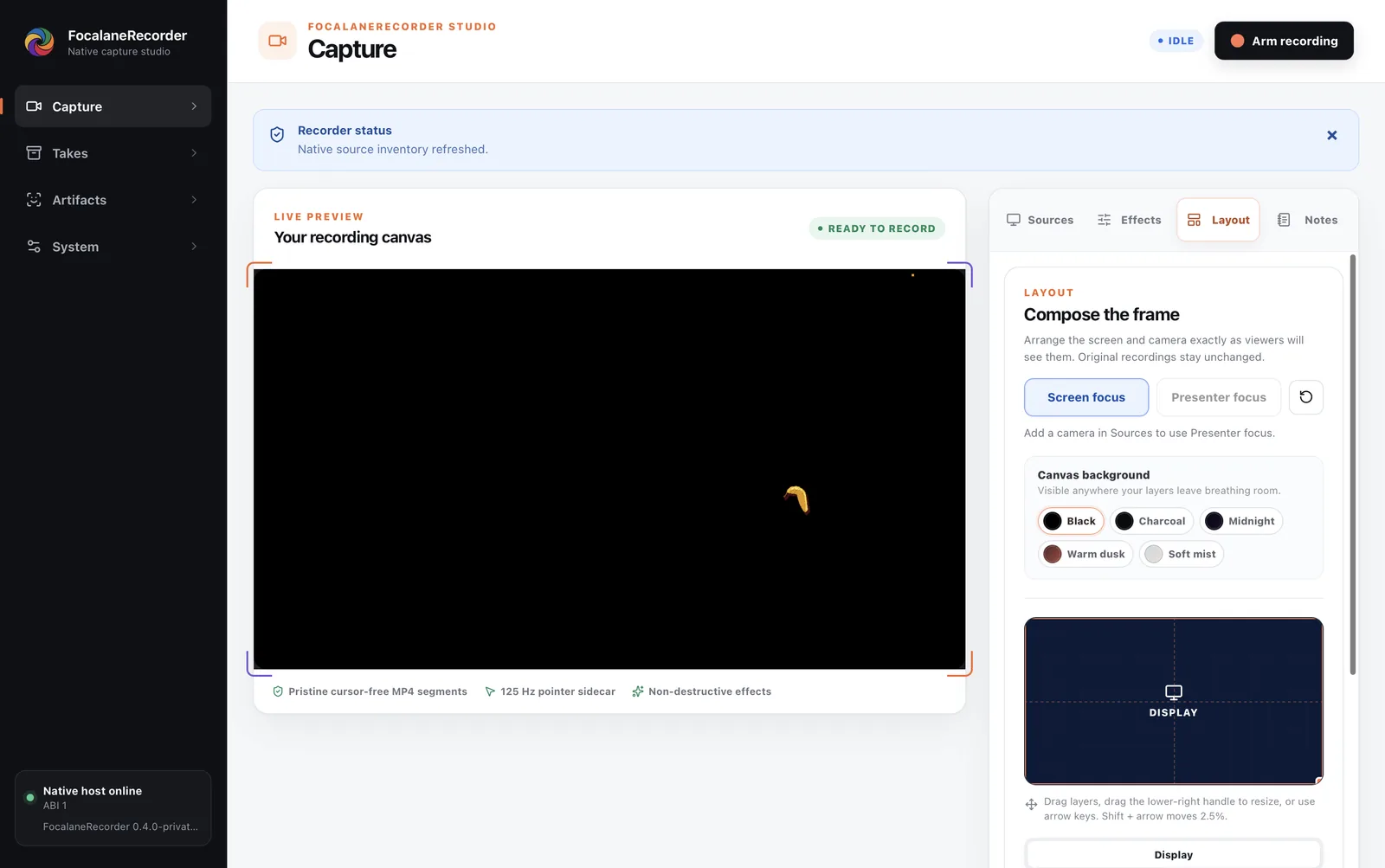
FocalaneRecorder Layout panel for composing the frame: Screen focus selected, canvas background swatches, and a display layer on a dark canvas, beside the live preview with the banana cursor.
Composing the frame in the Layout panel, with the app in full screen. 24 September 2026.
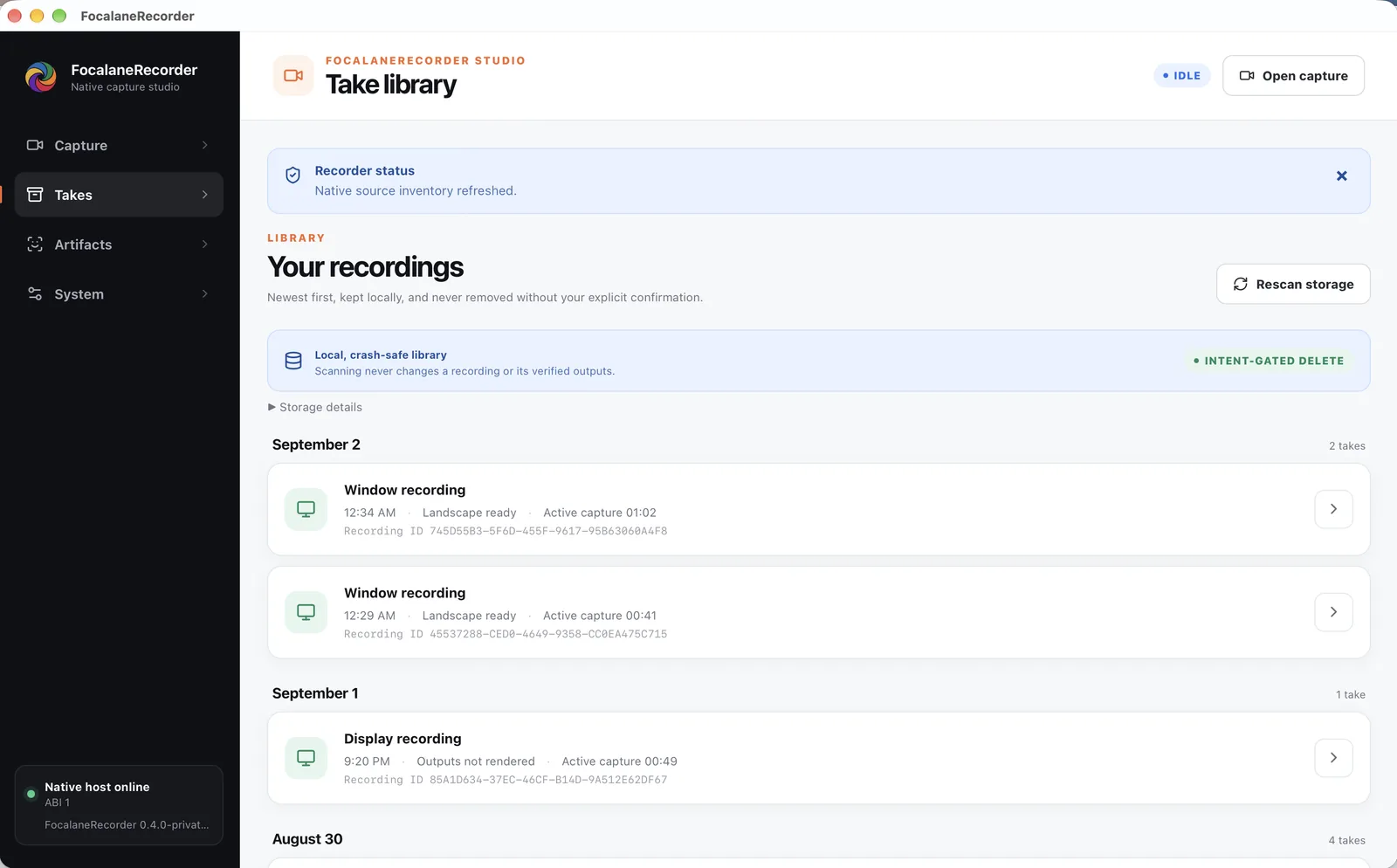
FocalaneRecorder take library titled “Your recordings”: a crash-safe local library with intent-gated delete, and window and display recordings grouped by day with their times, output state, length, and recording IDs.
The owner's take library. It lists recordings by metadata; no recording content is shown. 24 September 2026.
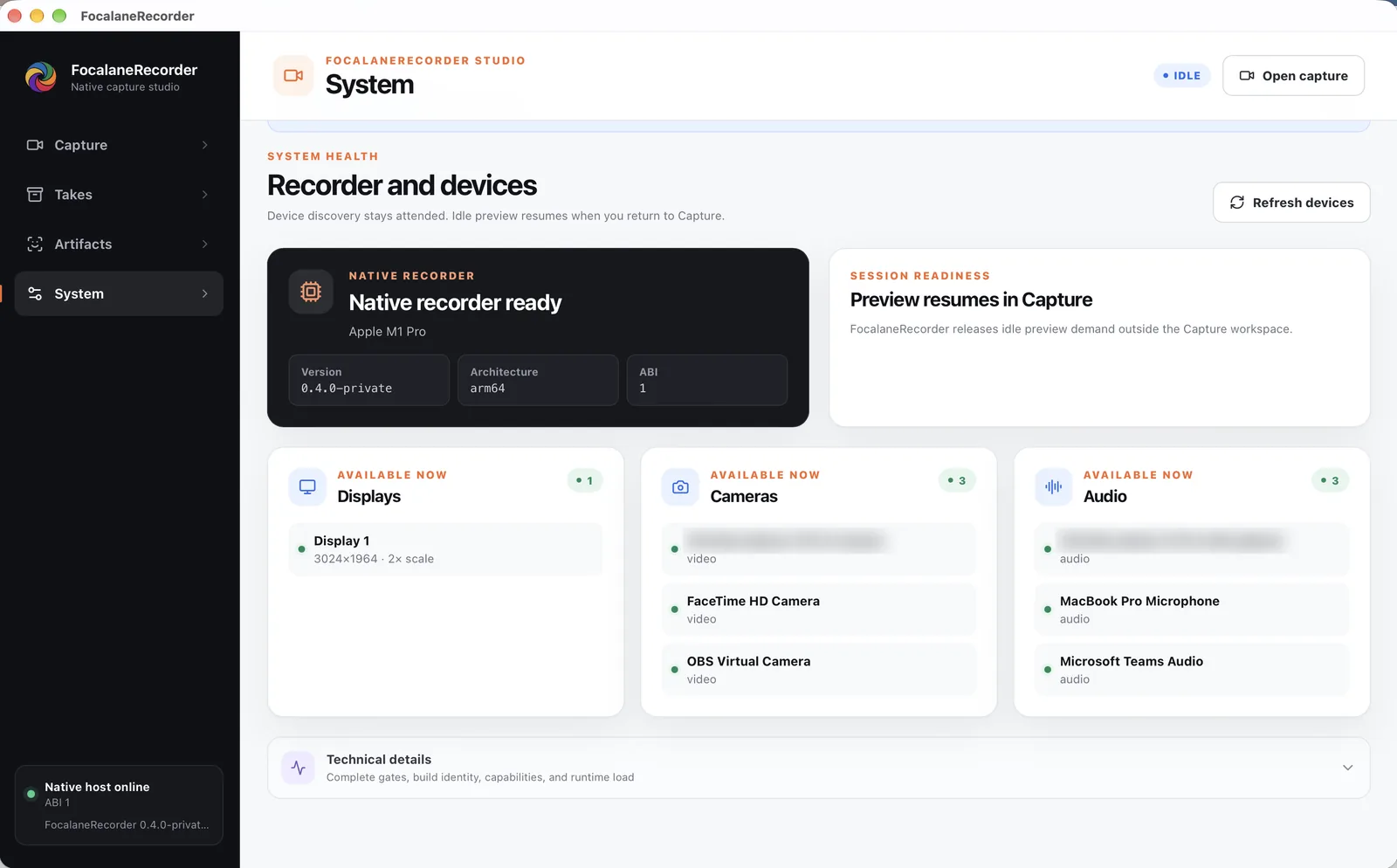
FocalaneRecorder System screen: the native recorder ready on Apple M1 Pro, version 0.4.0-private for arm64, with one display, three cameras, and three audio devices available. Two device names are blurred.
System health on the owner's Mac. Two device names are blurred. 24 September 2026.

Owner-operated production iPhone app

FocalaneCapture

Read the record →
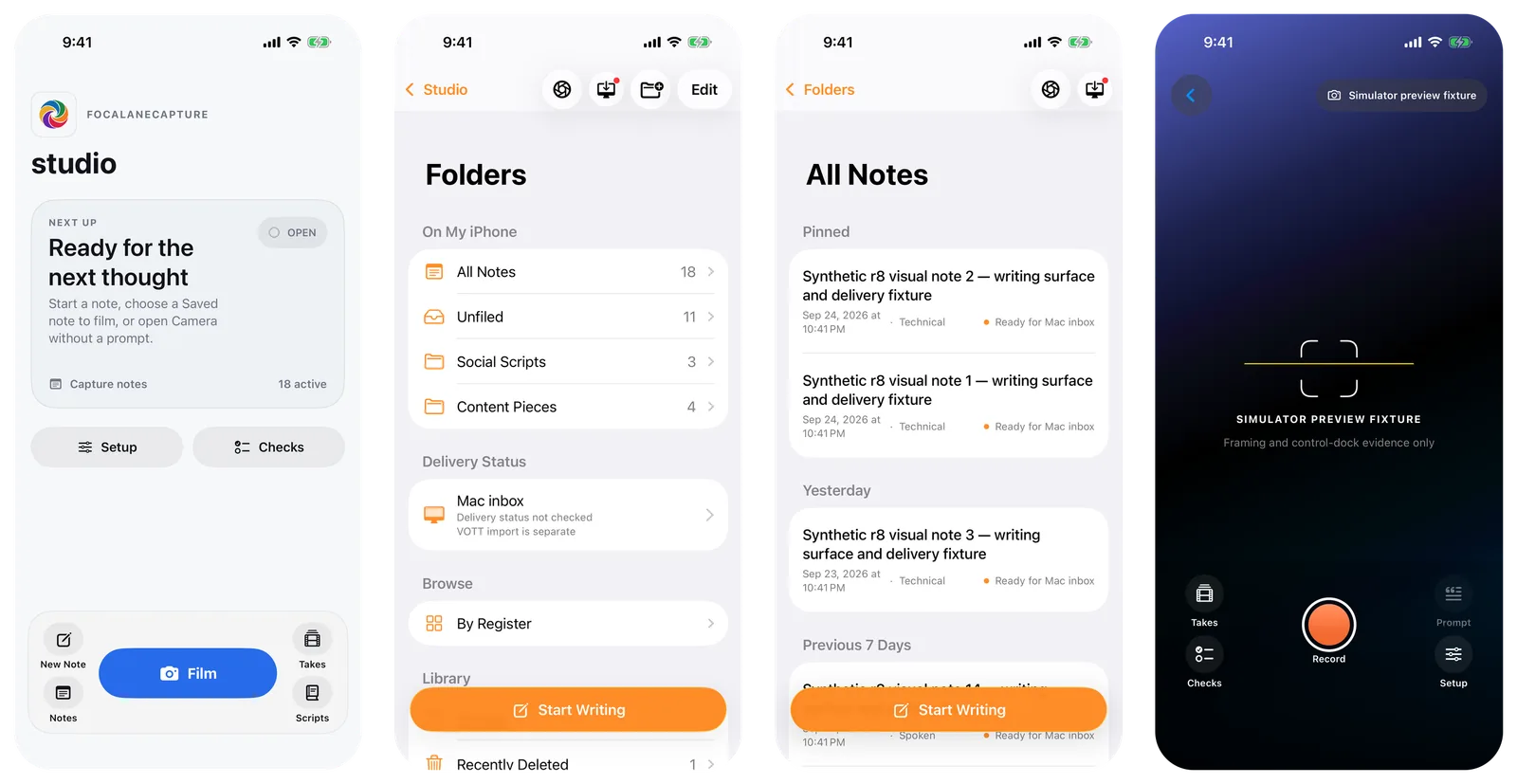
Four FocalaneCapture screens on an iPhone: Studio with a Ready for the next thought card and a Film button; Folders with 18 notes and a Mac inbox marked VOTT import is separate; All Notes listing synthetic notes; and the camera with a level guide over a simulator preview fixture.
Studio, folders, notes, and camera. A simulator build with the app's own synthetic notes and camera fixture; no real note or take is shown. Captured 24 September 2026.

Field-validated private system

OBD2Tech Capture + Journal

Read the record →
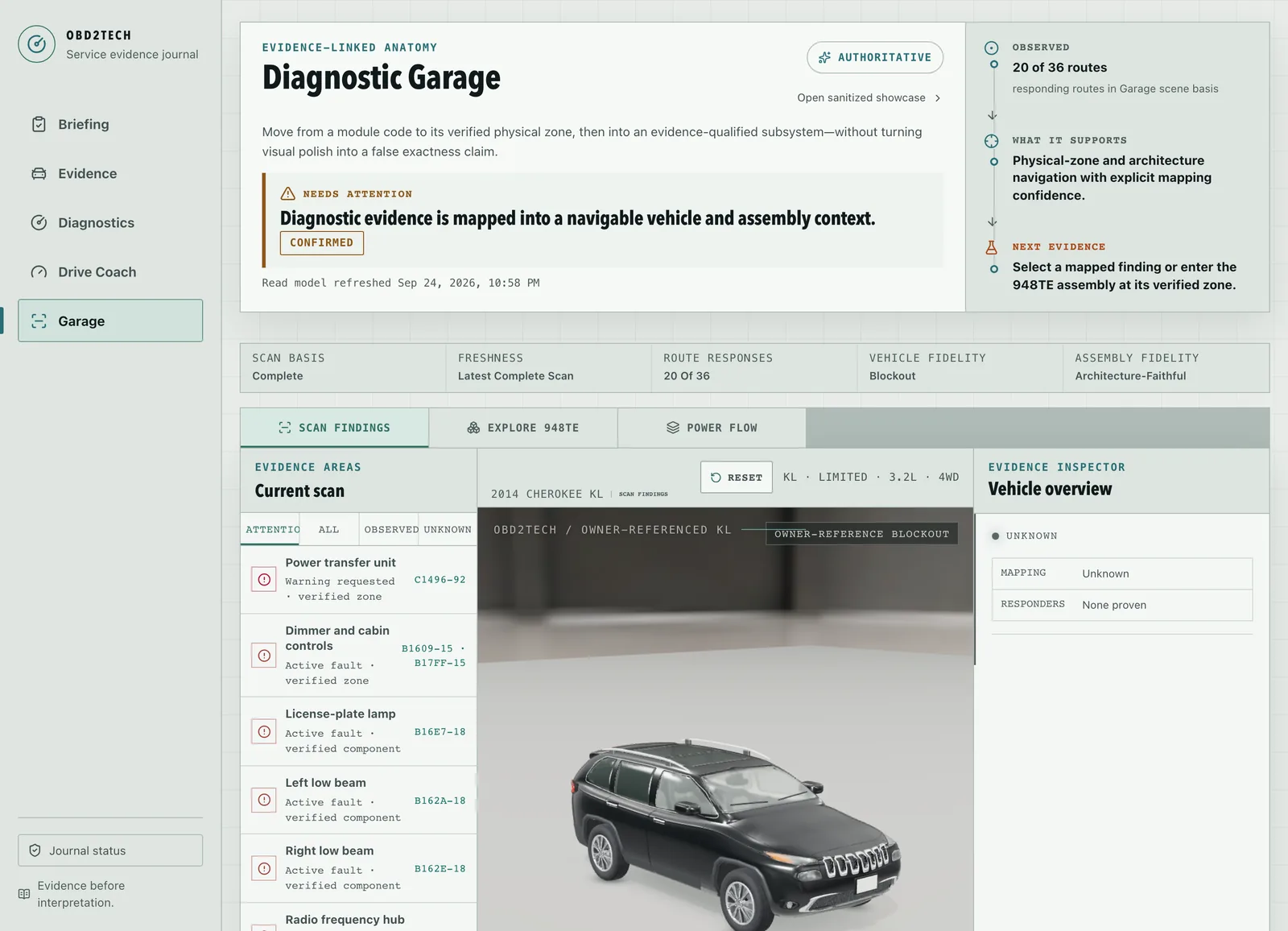
OBD2Tech Journal Diagnostic Garage: scan findings such as a power transfer unit warning and lamp faults beside a 3D model of a black Jeep Cherokee and an evidence inspector.
The Diagnostic Garage maps real fault codes from the owner's 2014 Jeep Cherokee to vehicle zones on a source-calibrated model, not an exact CAD model. Captured 24 September 2026.
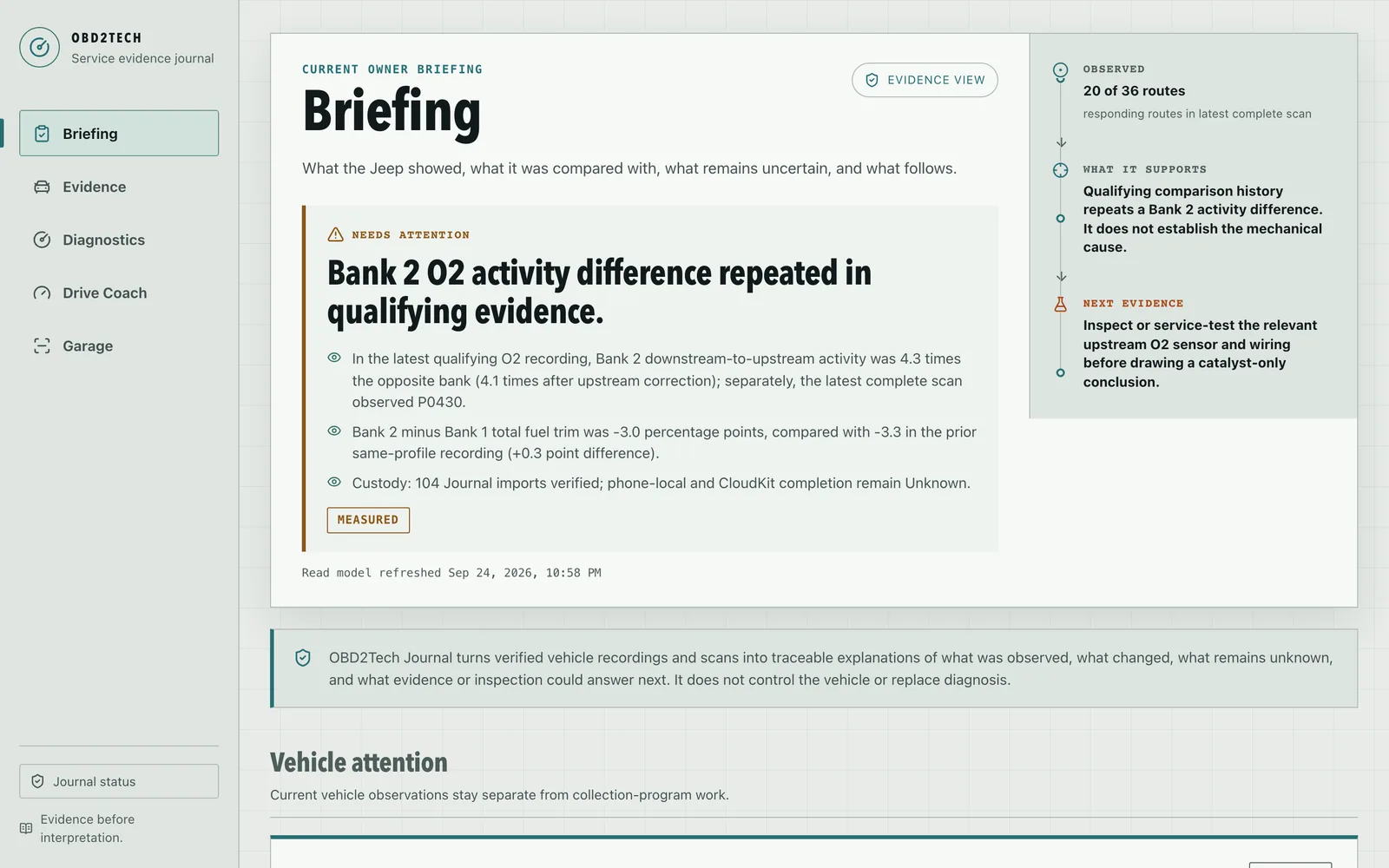
OBD2Tech Journal briefing: a Bank 2 oxygen-sensor activity difference repeated in qualifying evidence, with the measured figures, what the evidence supports, and the next inspection to run.
The Journal's briefing, built from real recordings of the owner's Jeep. Captured 24 September 2026.
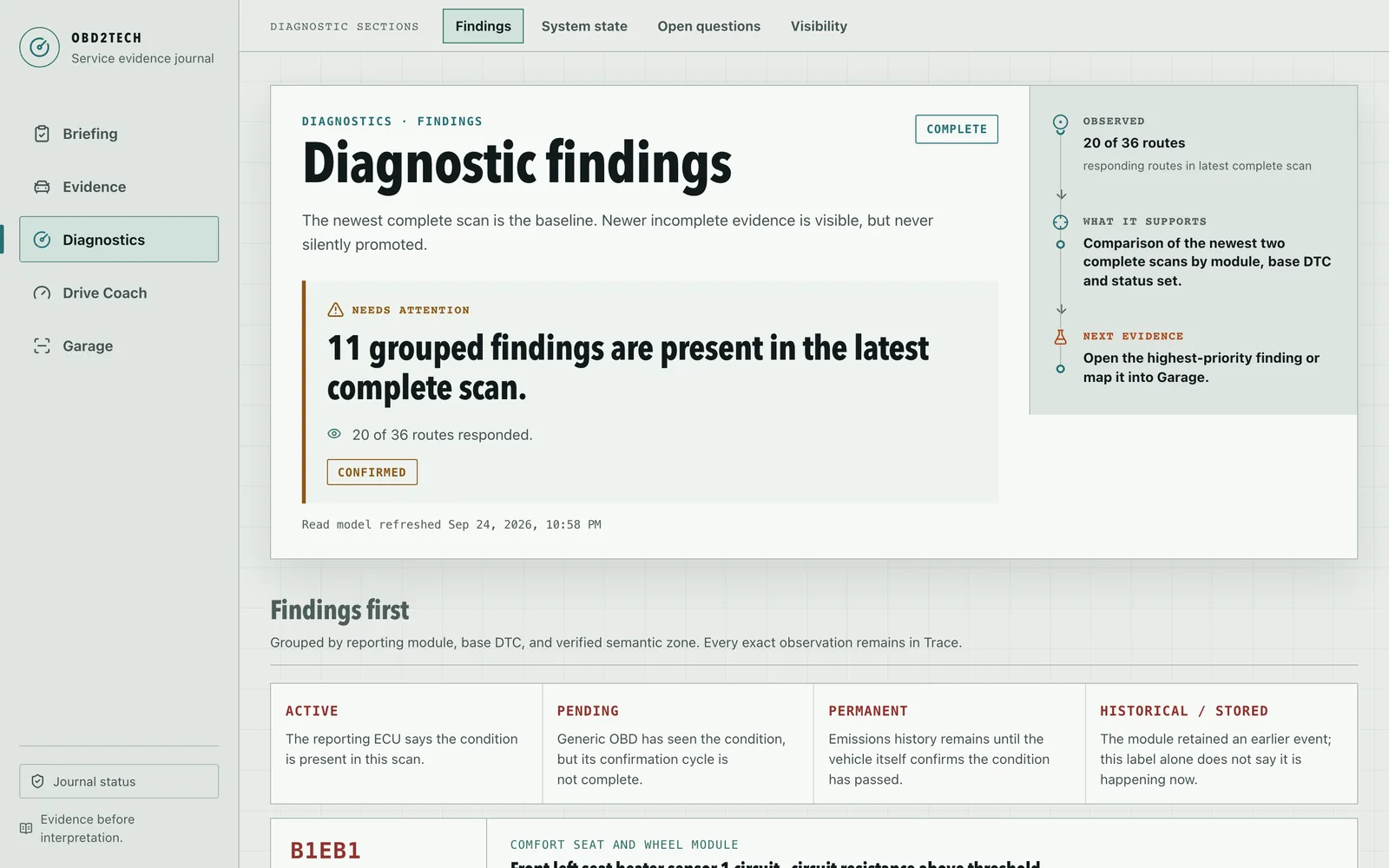
OBD2Tech Journal diagnostic findings: 11 grouped findings in the latest complete scan, with 20 of 36 routes responding.
Findings grouped from the newest complete scan. Captured 24 September 2026.
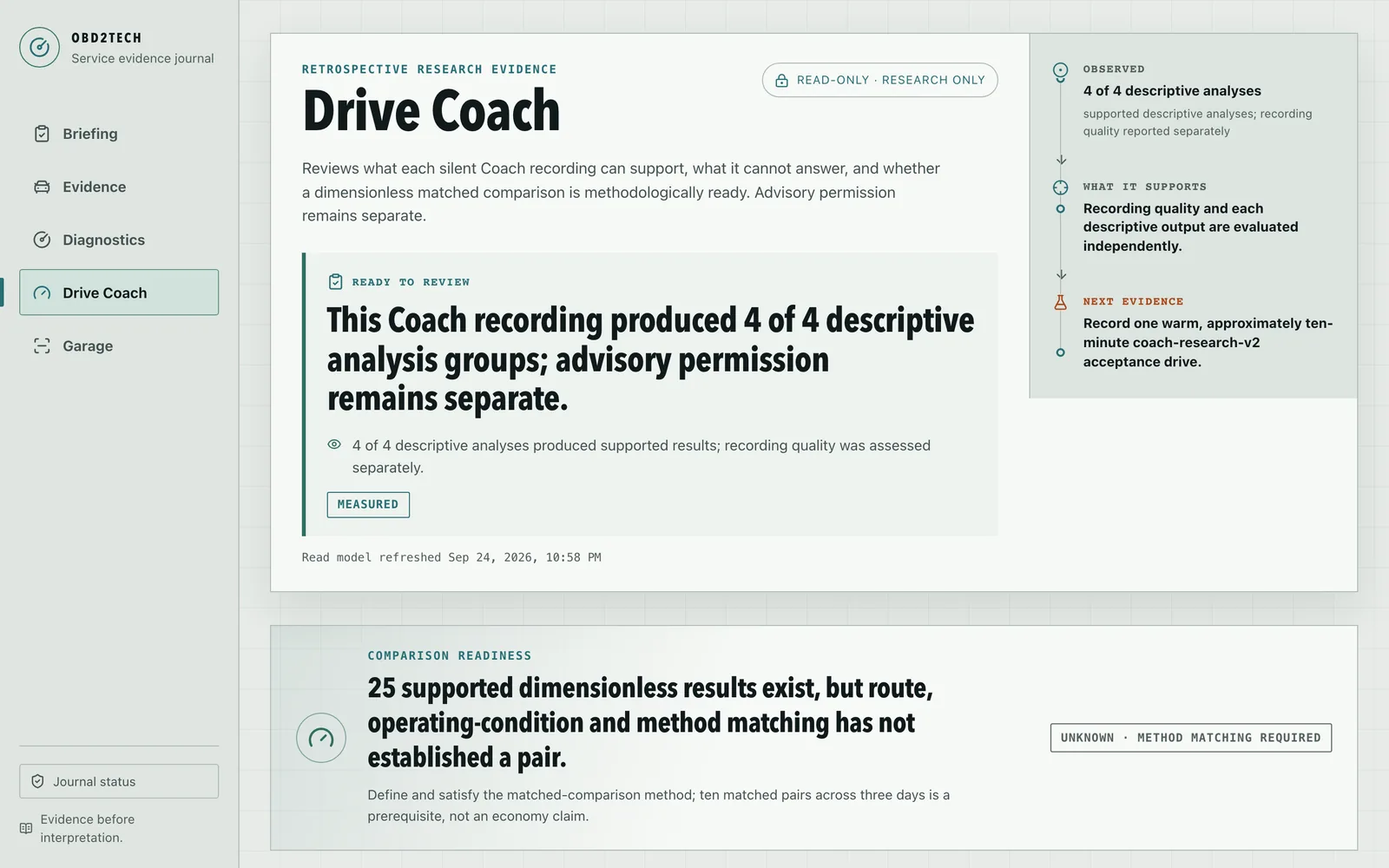
OBD2Tech Journal Drive Coach, marked read-only research: a coach recording produced 4 of 4 descriptive analysis groups, while matched comparisons are not yet established.
Drive Coach research keeps measurement separate from advice. Captured 24 September 2026.
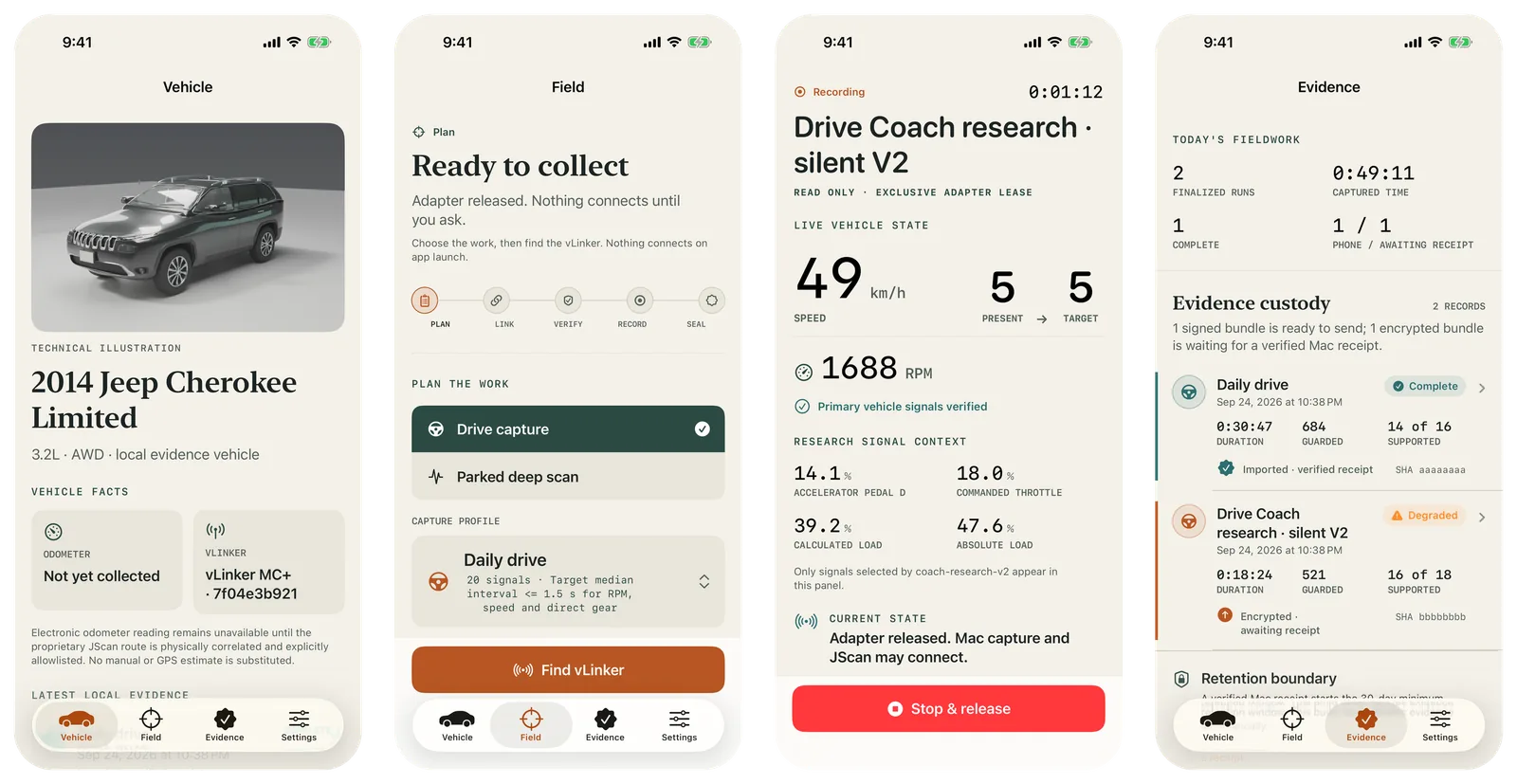
Four OBD2Tech Capture screens on an iPhone: the vehicle page with a 3D illustration of a 2014 Jeep Cherokee Limited, the field plan ready to collect, a live Drive Coach recording showing speed, gear, and RPM, and the evidence custody ledger.
The iPhone recorder in a simulator build with its built-in fixture values; the adapter, receipt, and hash values are fake. Captured 24 September 2026.

Accepted browser-only prototype

CertGraph

Read the record →
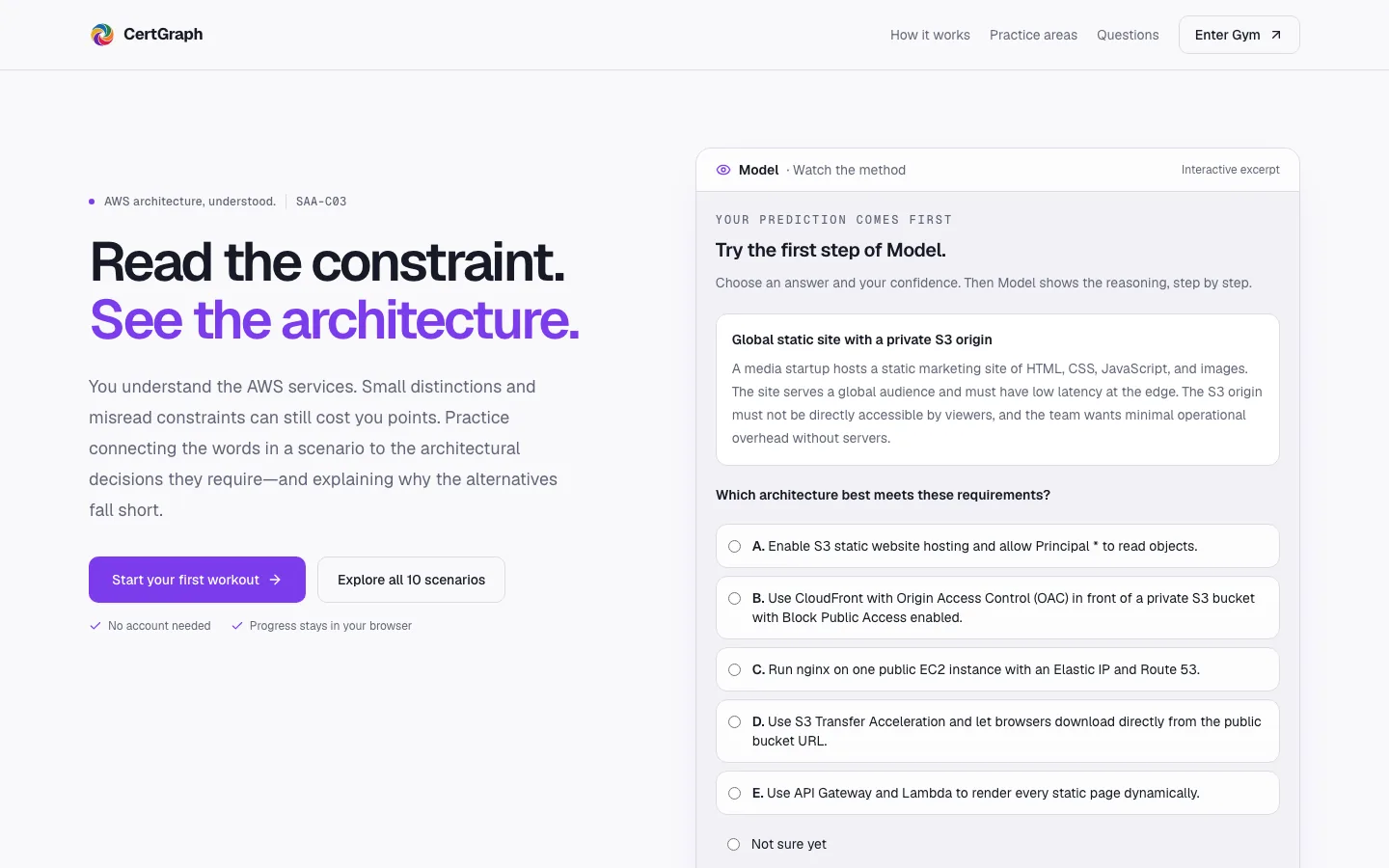
CertGraph landing page headed “Read the constraint. See the architecture.” beside an interactive excerpt asking which architecture fits a global static site with a private S3 origin.
Landing page with the interactive Model excerpt. Local build, captured 12 September 2026.
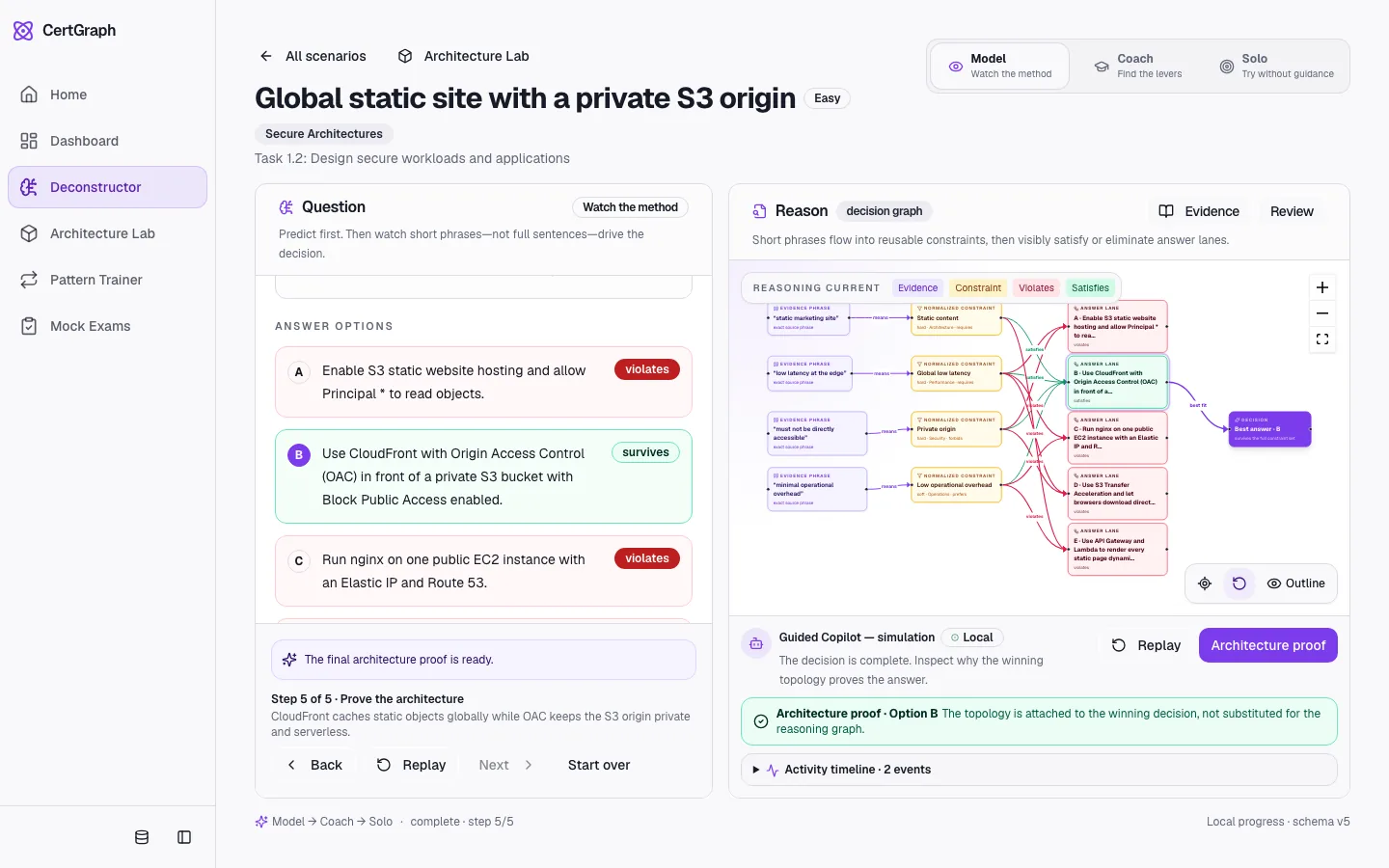
CertGraph Deconstructor: answer options marked violates or survives, next to a decision graph linking phrases from the scenario to constraints and answer lanes.
Deconstructor after a worked example: phrases from the scenario become constraints that keep or eliminate each answer. Scenario content is synthetic. Captured 11 September 2026.
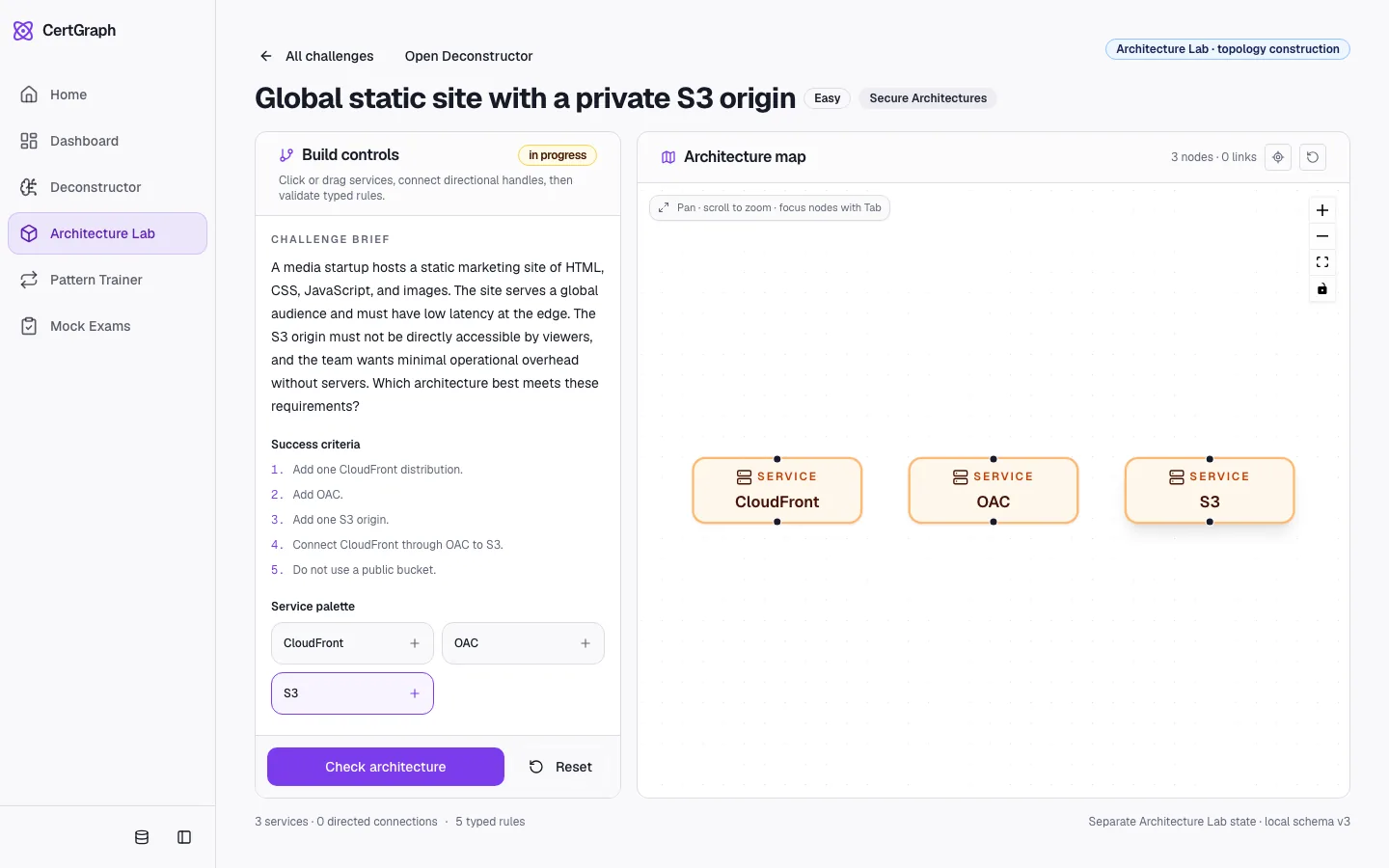
CertGraph Architecture Lab: build controls and a challenge brief for a global static site with a private S3 origin, beside an architecture map with CloudFront, OAC, and S3 service nodes.
Architecture Lab with a challenge in progress. Scenario content is synthetic. Captured 11 September 2026.
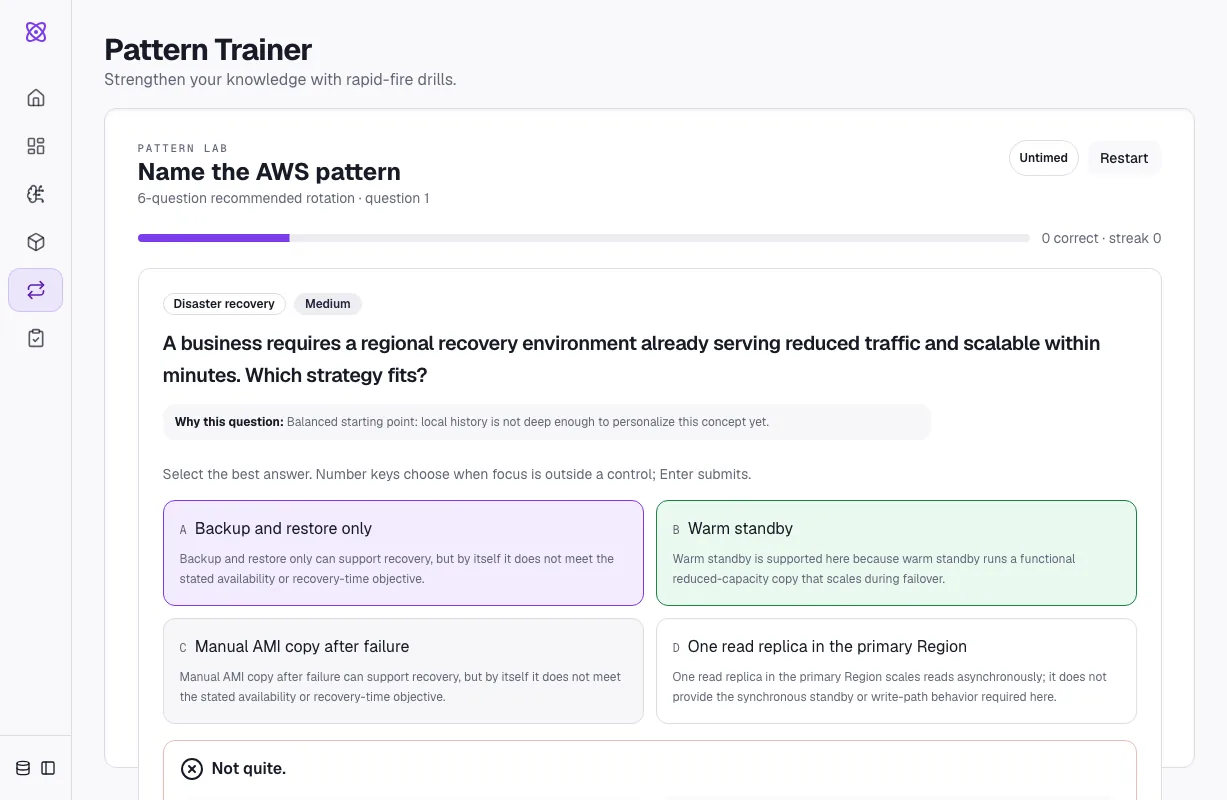
CertGraph Pattern Trainer: a disaster-recovery question with four strategies, the chosen answer marked not quite and warm standby shown as the supported answer.
Pattern Trainer explaining a wrong answer. Synthetic practice content. Captured 11 September 2026.
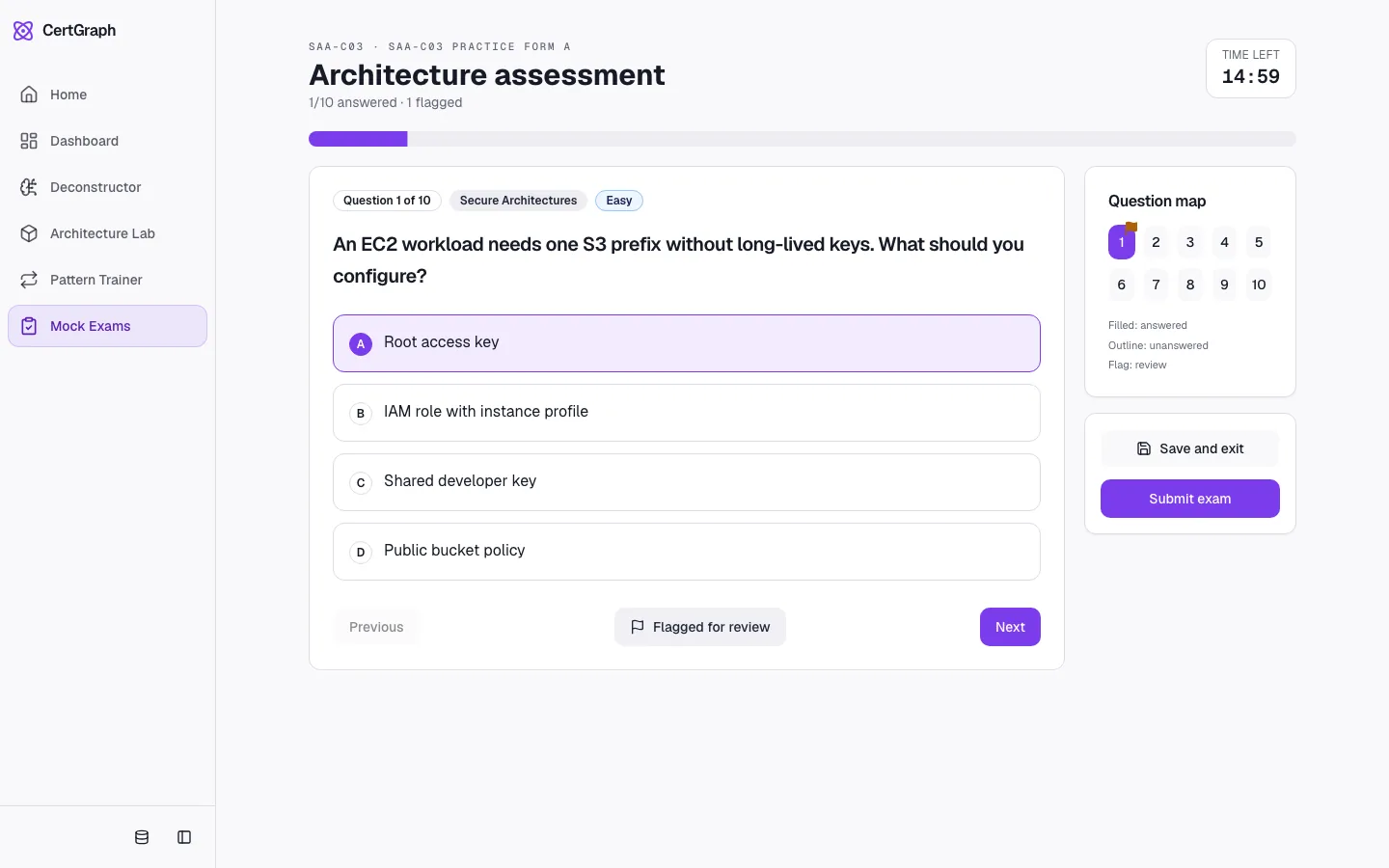
CertGraph mock exam in progress: question 1 of 10 on secure architectures with four answer options, a question map, and a timer.
SAA-C03 practice form A, first question. Synthetic practice questions, not real exam items. Captured 11 September 2026.

Private decision-system prototype

Spine

Read the record →
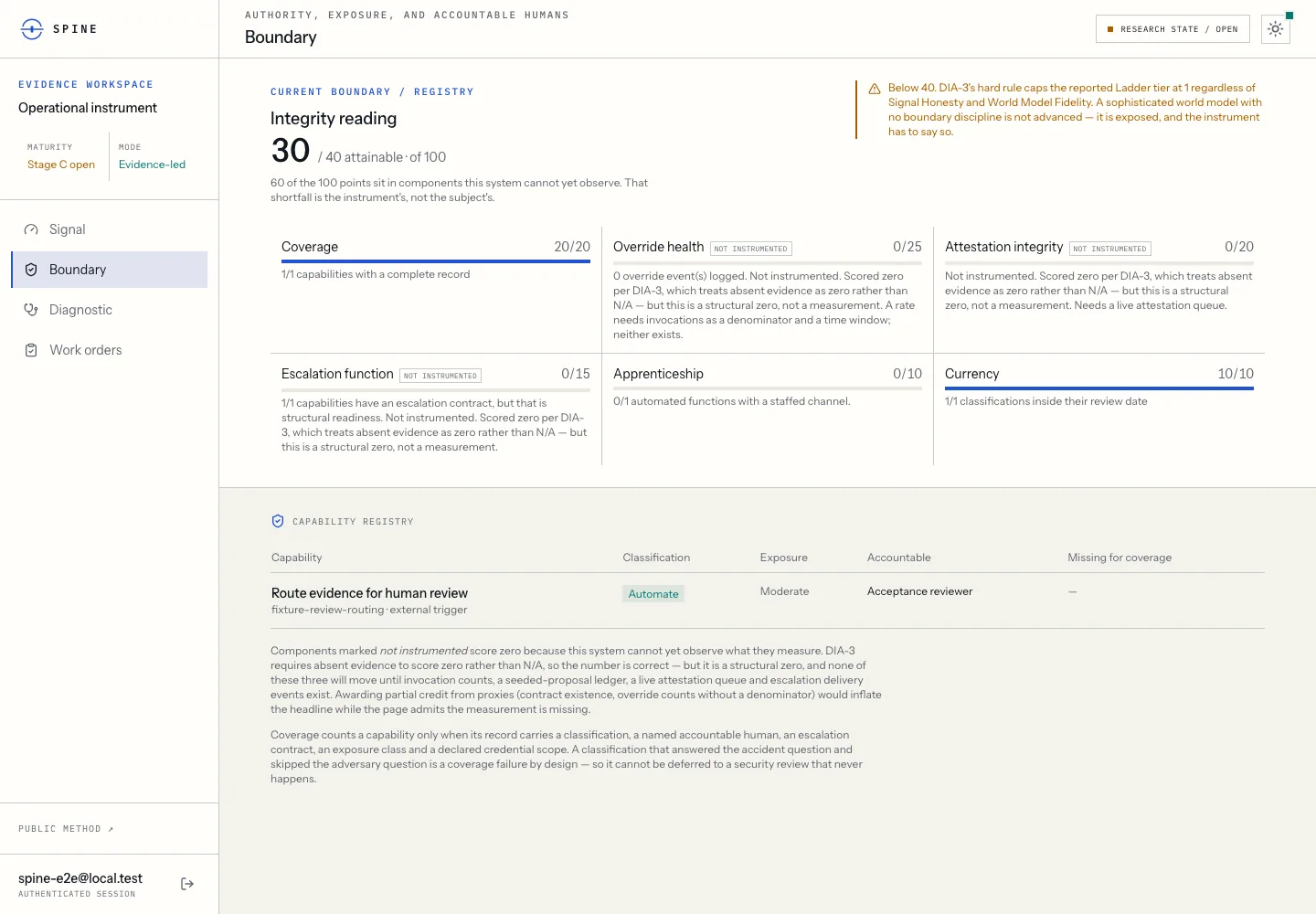
Spine Boundary page: an integrity reading of 30 of 40 attainable points, component scores marked not instrumented, and a one-row capability registry.
Boundary registry from an automated test run with fixture data. What the system cannot yet observe scores zero, and the page says so. Captured 1 September 2026.
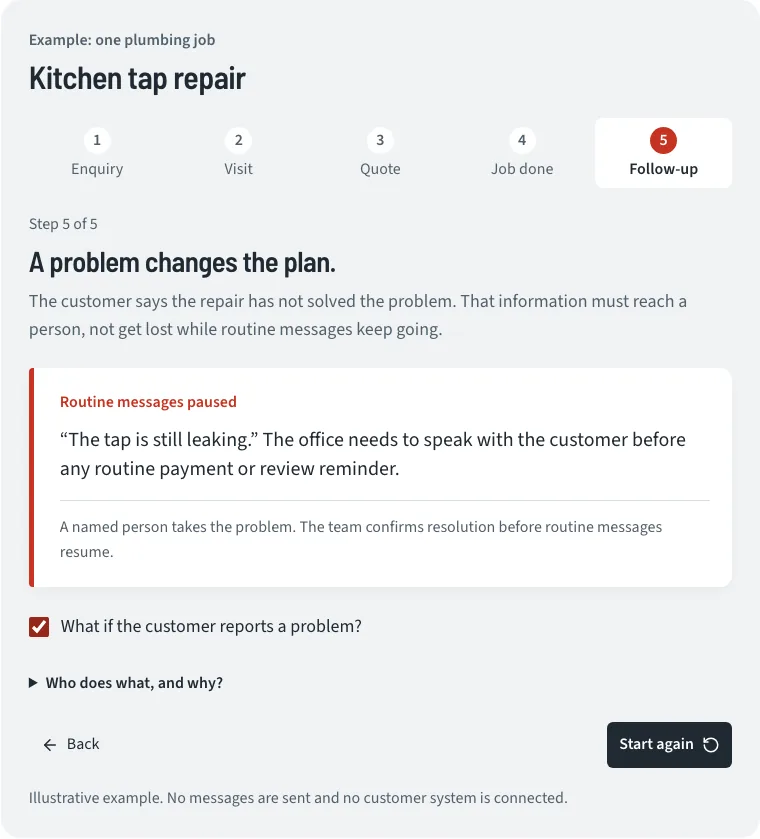
Spine's plumbing-job walkthrough at step 5 of 5: the customer reports the kitchen tap is still leaking, so routine messages pause until a named person takes the problem.
Illustrative walkthrough: no messages are sent and no customer system is connected. Visual test baseline, 4 September 2026.
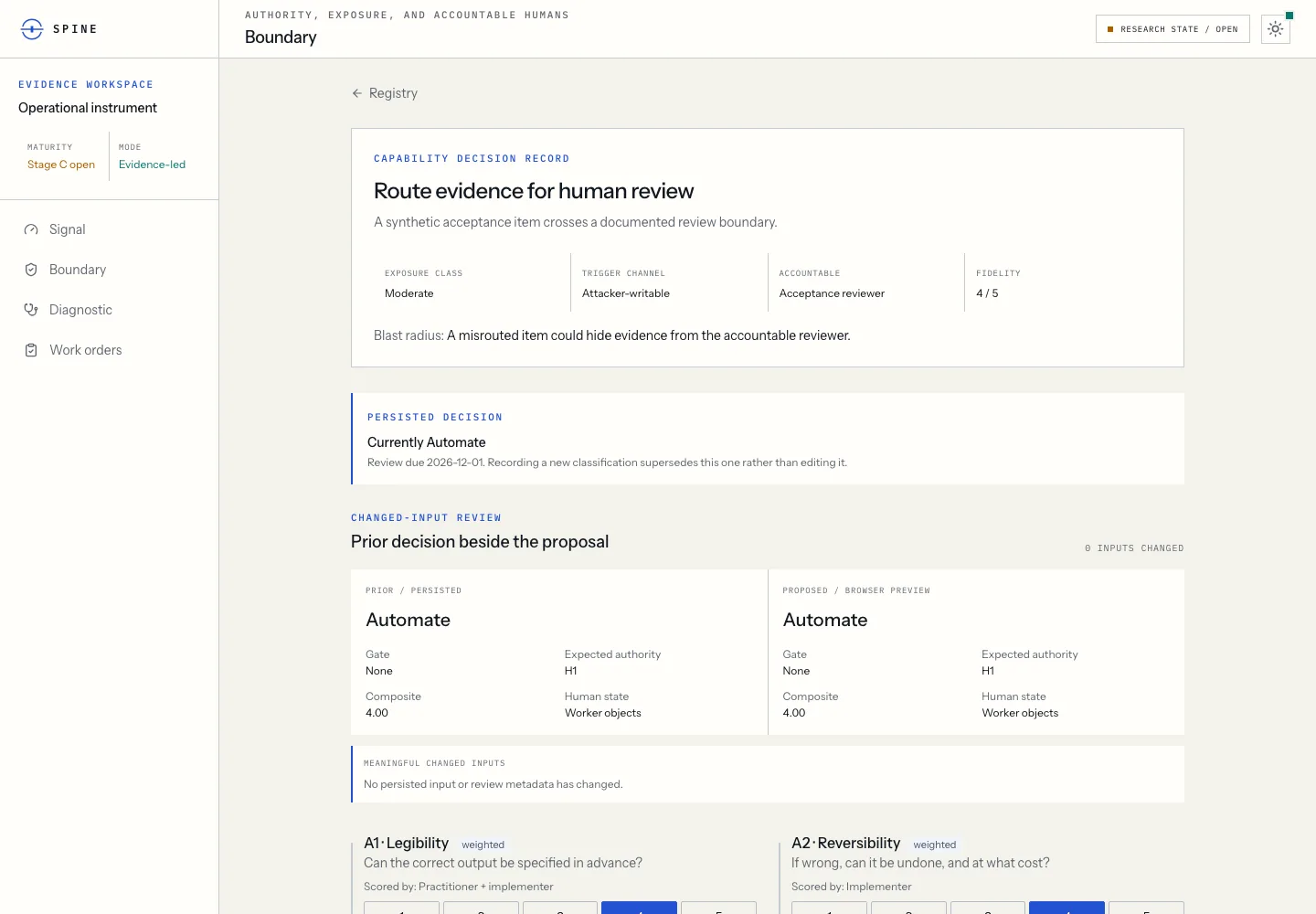
Spine Boundary record for routing evidence to human review: a persisted decision, the prior and proposed classifications side by side, and scored authority inputs.
Reclassification view with a synthetic acceptance item. Automated test run with fixture data, 1 September 2026.

Broader learning-system laboratory

Learning Systems Lab

Read the record →
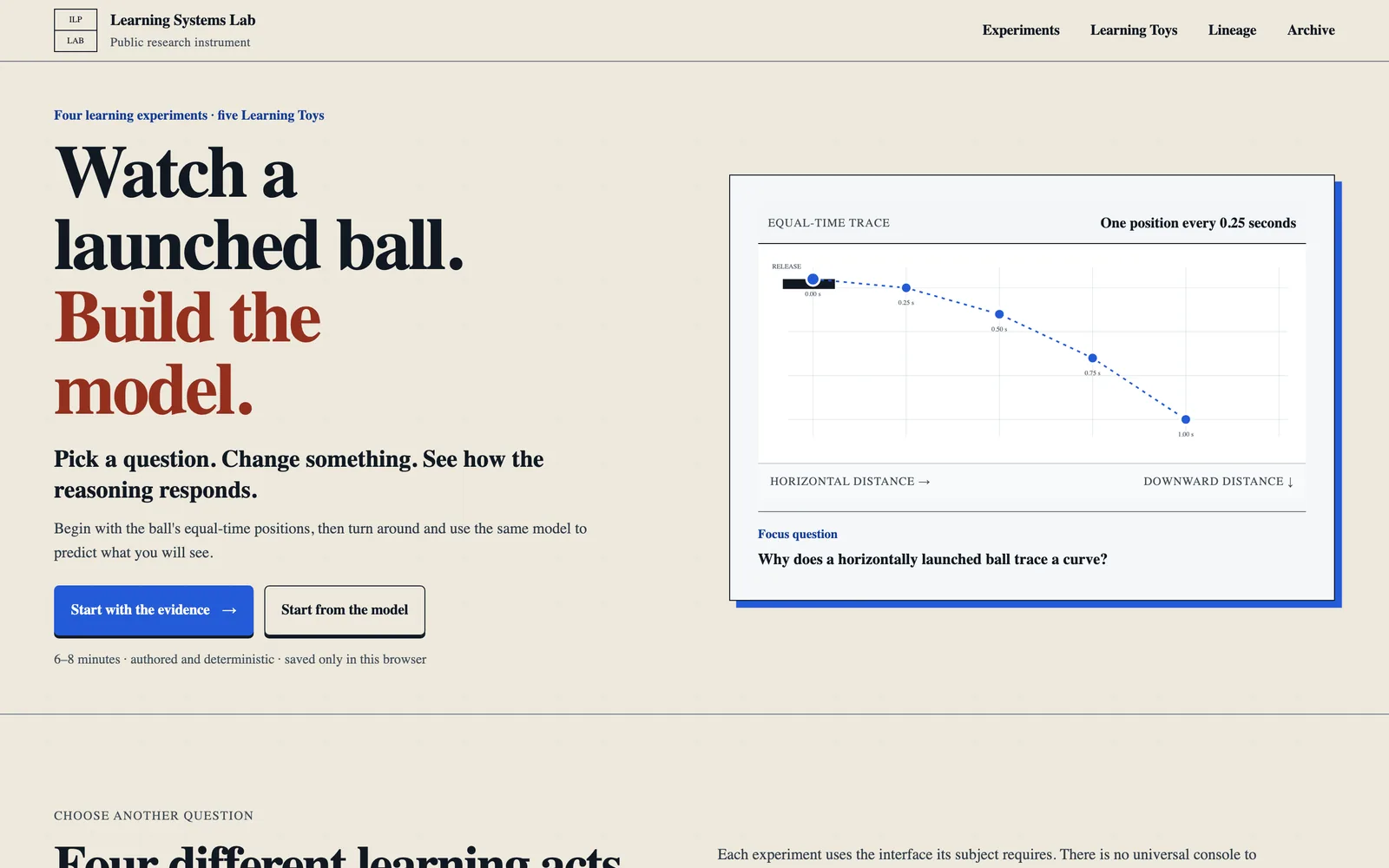
Learning Systems Lab home page headed “Watch a launched ball. Build the model.” with an equal-time trace of a horizontally launched ball.
Home page and Experiment 01. Local build, captured 24 September 2026.
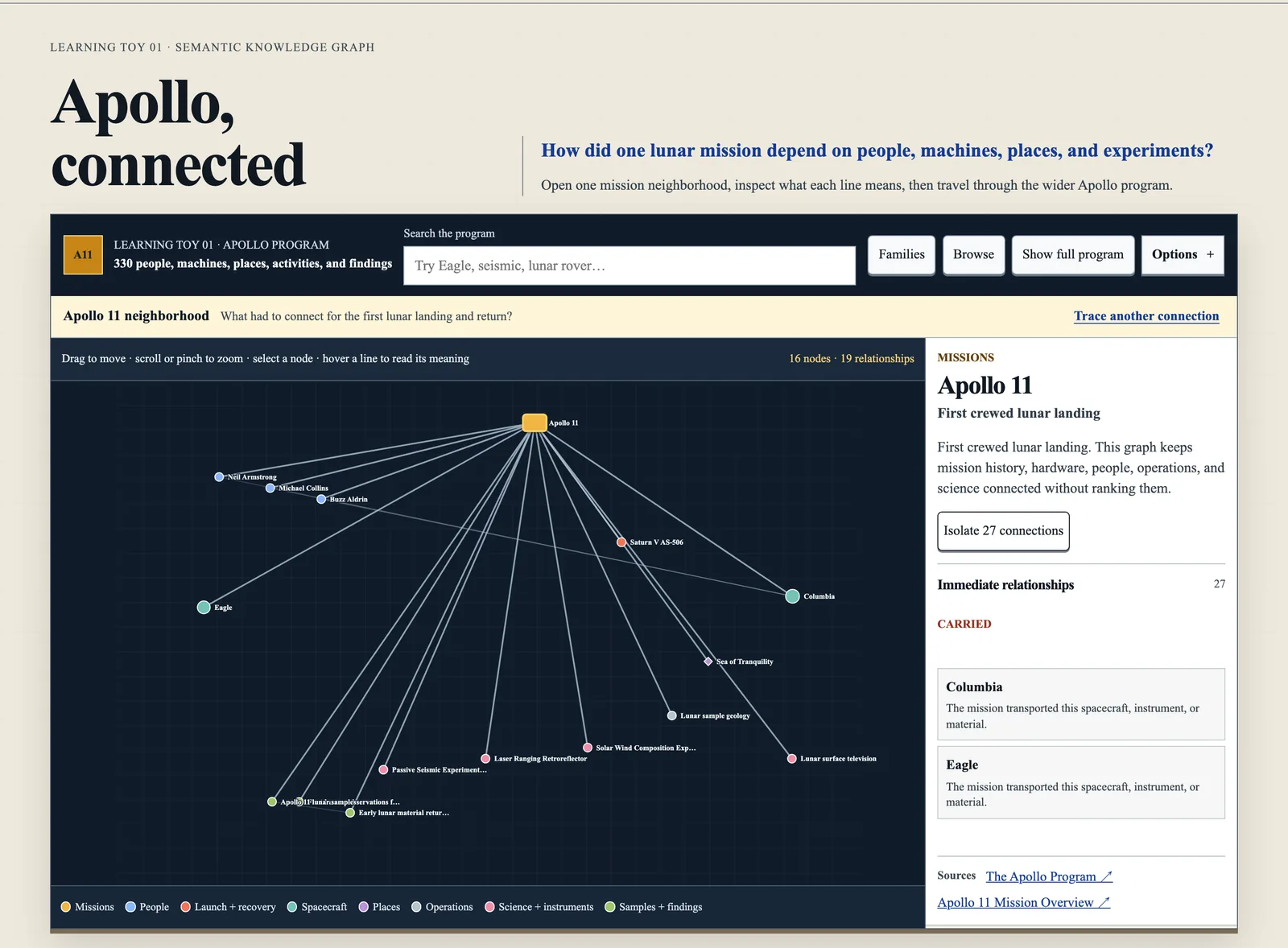
The “Apollo, connected” learning toy: a knowledge graph of the Apollo 11 neighborhood and a side panel describing Apollo 11 and its relationships.
Learning Toy 01, an authored Apollo knowledge graph that cites its public sources. Captured 24 September 2026.
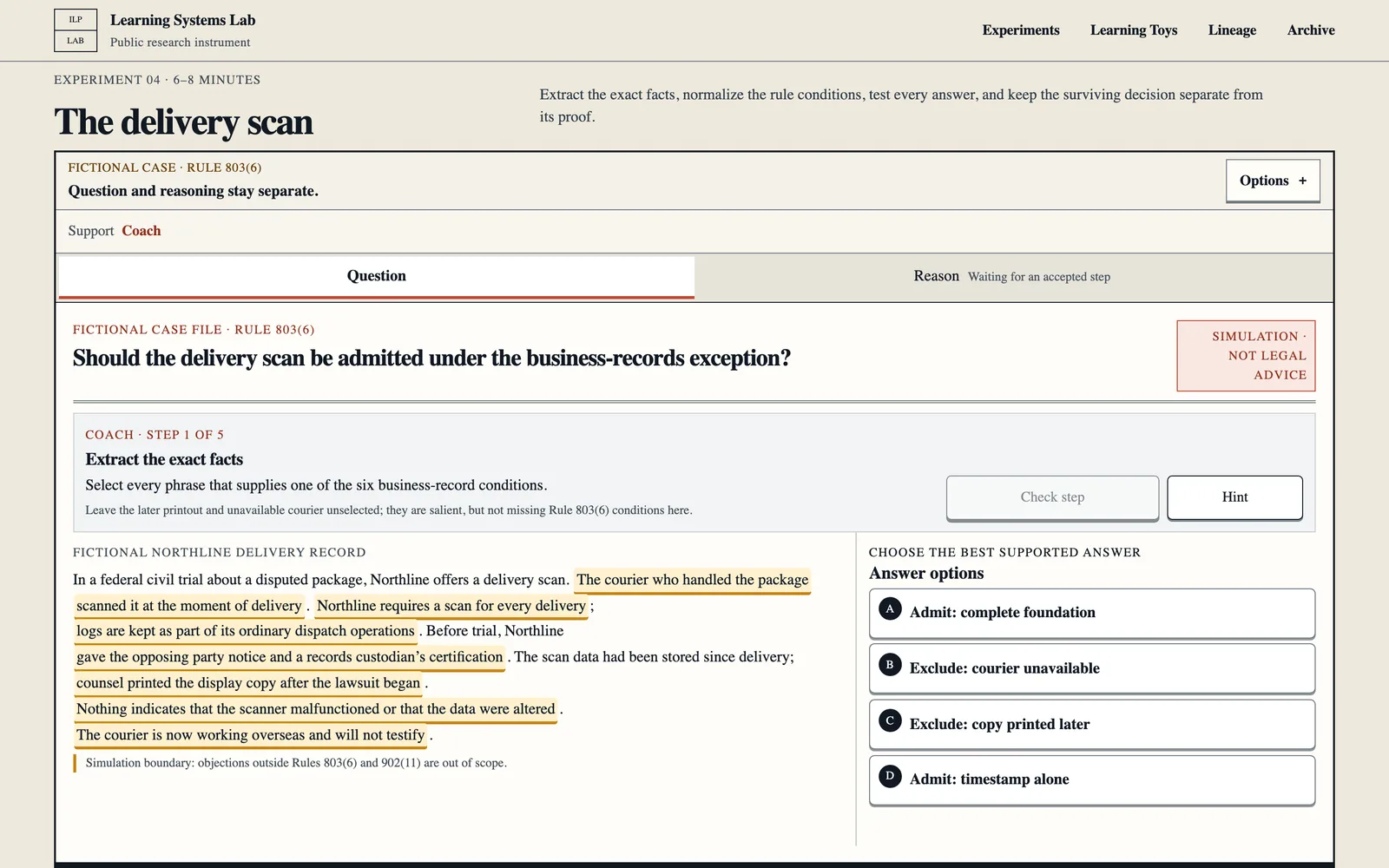
Learning Systems Lab Experiment 04, “The delivery scan”: a fictional business-records case with highlighted facts from the scenario and answer options to admit or exclude the scan.
Experiment 04, a fictional evidence-rule case where the question and the reasoning stay separate. Local build, captured 24 September 2026.
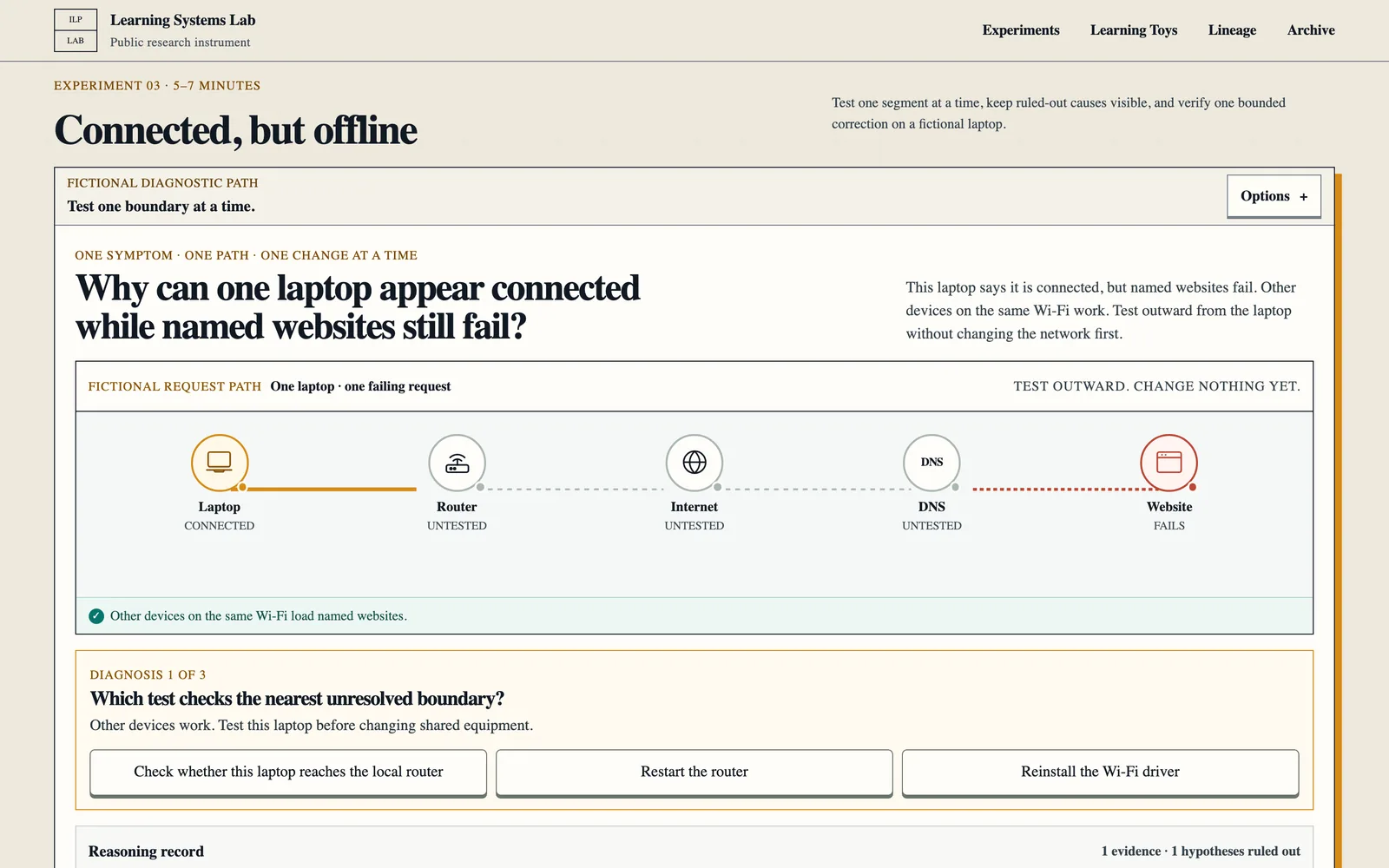
Learning Systems Lab Experiment 03, “Connected, but offline”: a fictional request path from laptop to router, internet, DNS, and website, with the first diagnostic question.
Experiment 03, a fictional network diagnosis tested one boundary at a time. Local build, captured 24 September 2026.
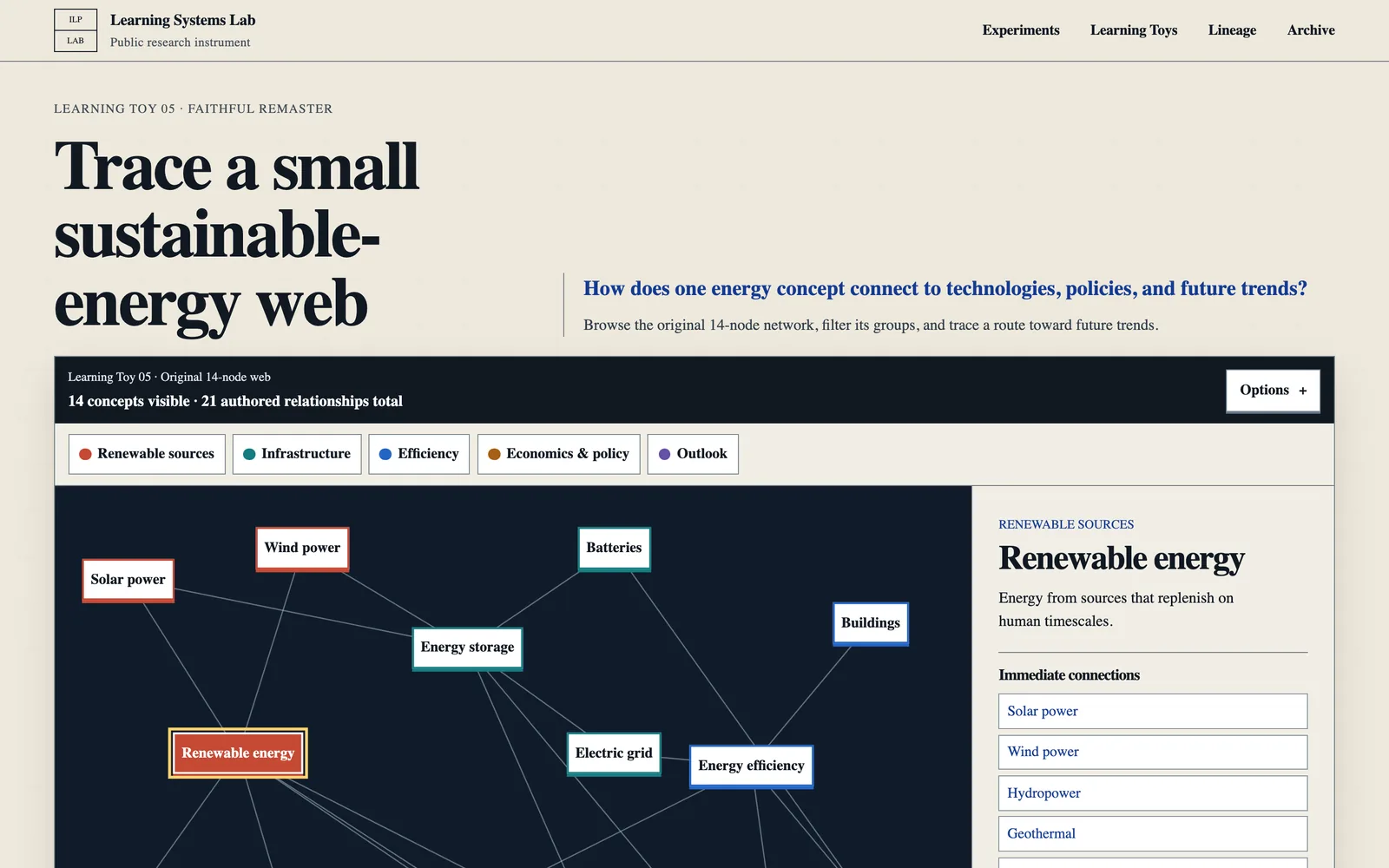
Learning Toy 05, “Trace a small sustainable-energy web”: a dark network of energy concepts such as solar power, wind power, batteries, and the electric grid, with a side panel on renewable energy.
Learning Toy 05, a remaster of an original 14-concept web. Local build, captured 24 September 2026.
Private writing-provenance project

VoiceOfTheTexts

Read the record →
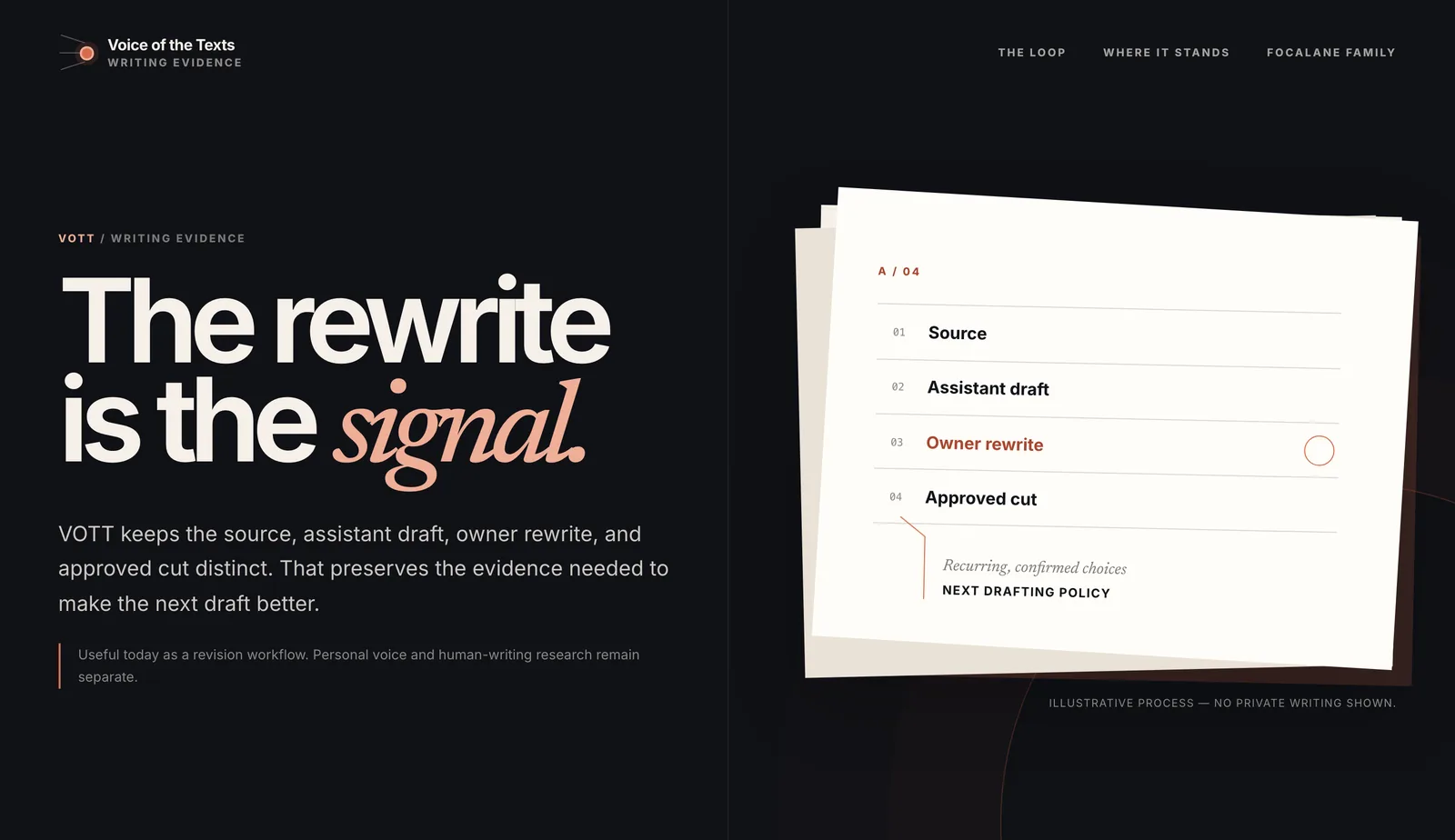
VoiceOfTheTexts landing page headed “The rewrite is the signal.” beside an illustrative card listing Source, Assistant draft, Owner rewrite, and Approved cut, marked as showing no private writing.
VOTT's landing page, run locally. The card is illustrative; no private writing is shown. Captured 24 September 2026.
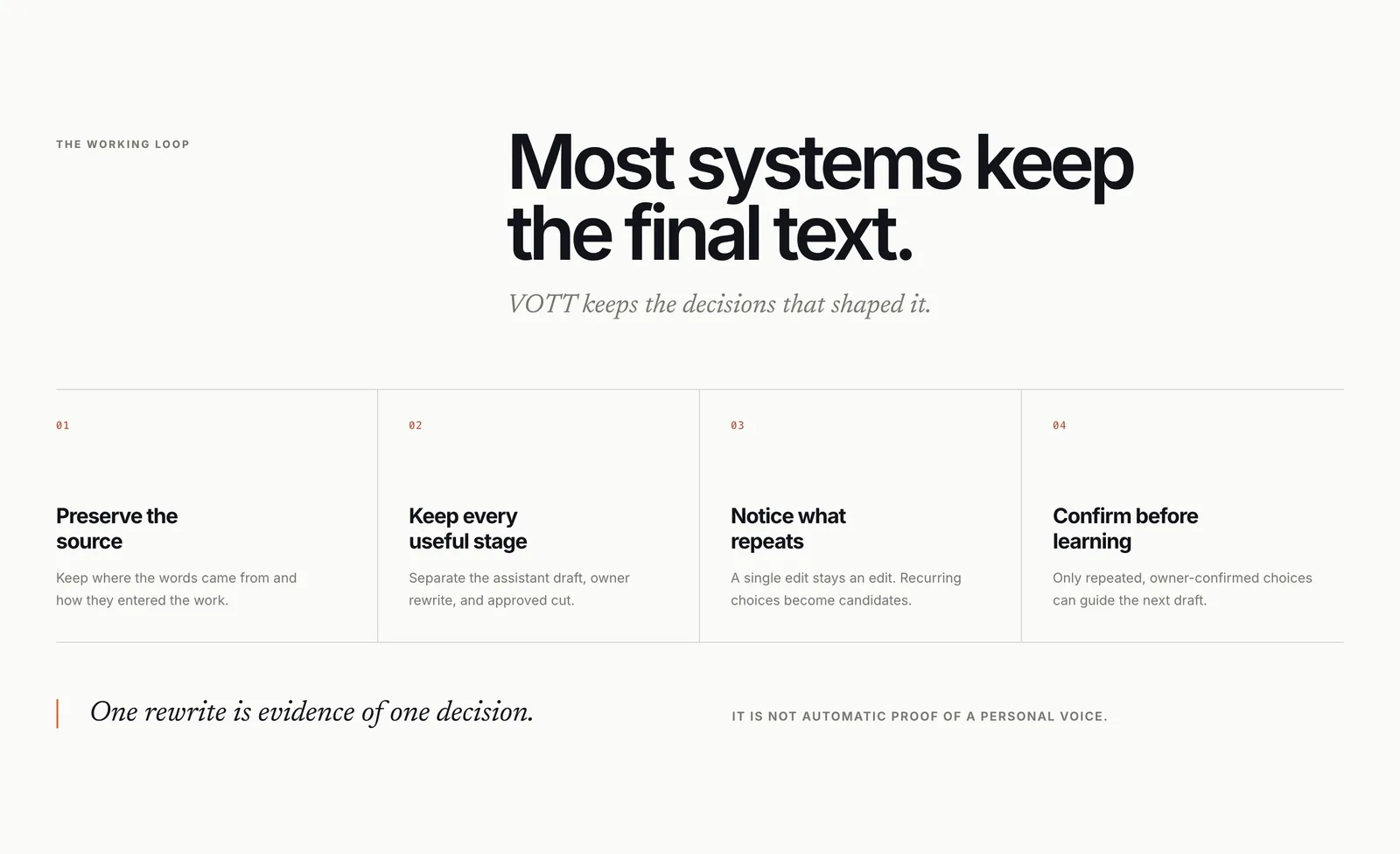
VOTT section “Most systems keep the final text.” with four steps: preserve the source, keep every useful stage, notice what repeats, and confirm before learning, above the line “One rewrite is evidence of one decision.”
The working loop. Captured 24 September 2026.
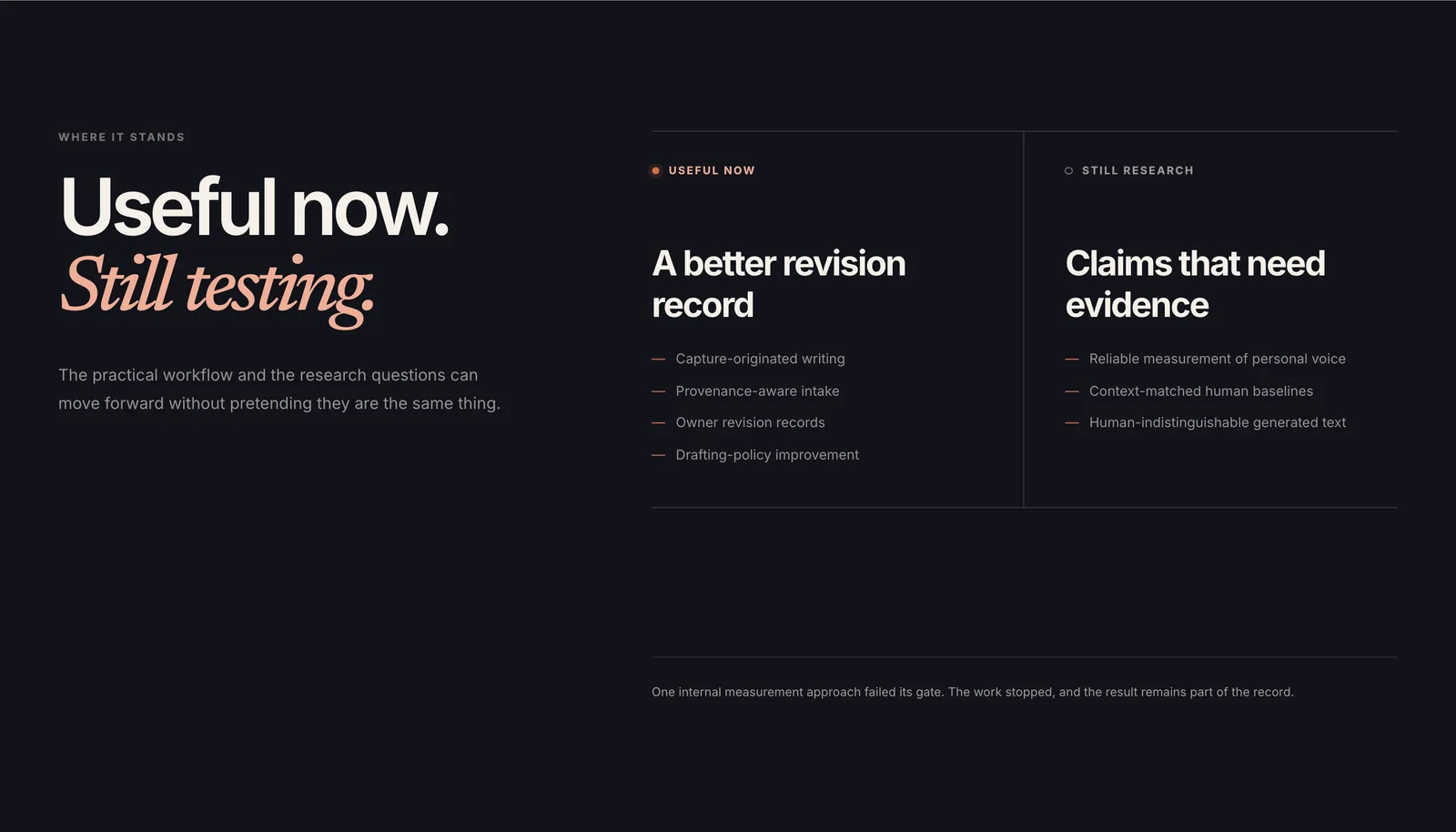
VOTT section “Useful now. Still testing.” separating what is useful now, such as owner revision records, from claims that still need evidence, such as reliable measurement of personal voice, above a note that one measurement approach failed its gate.
What is useful now and what is still research, as the page states it. Captured 24 September 2026.
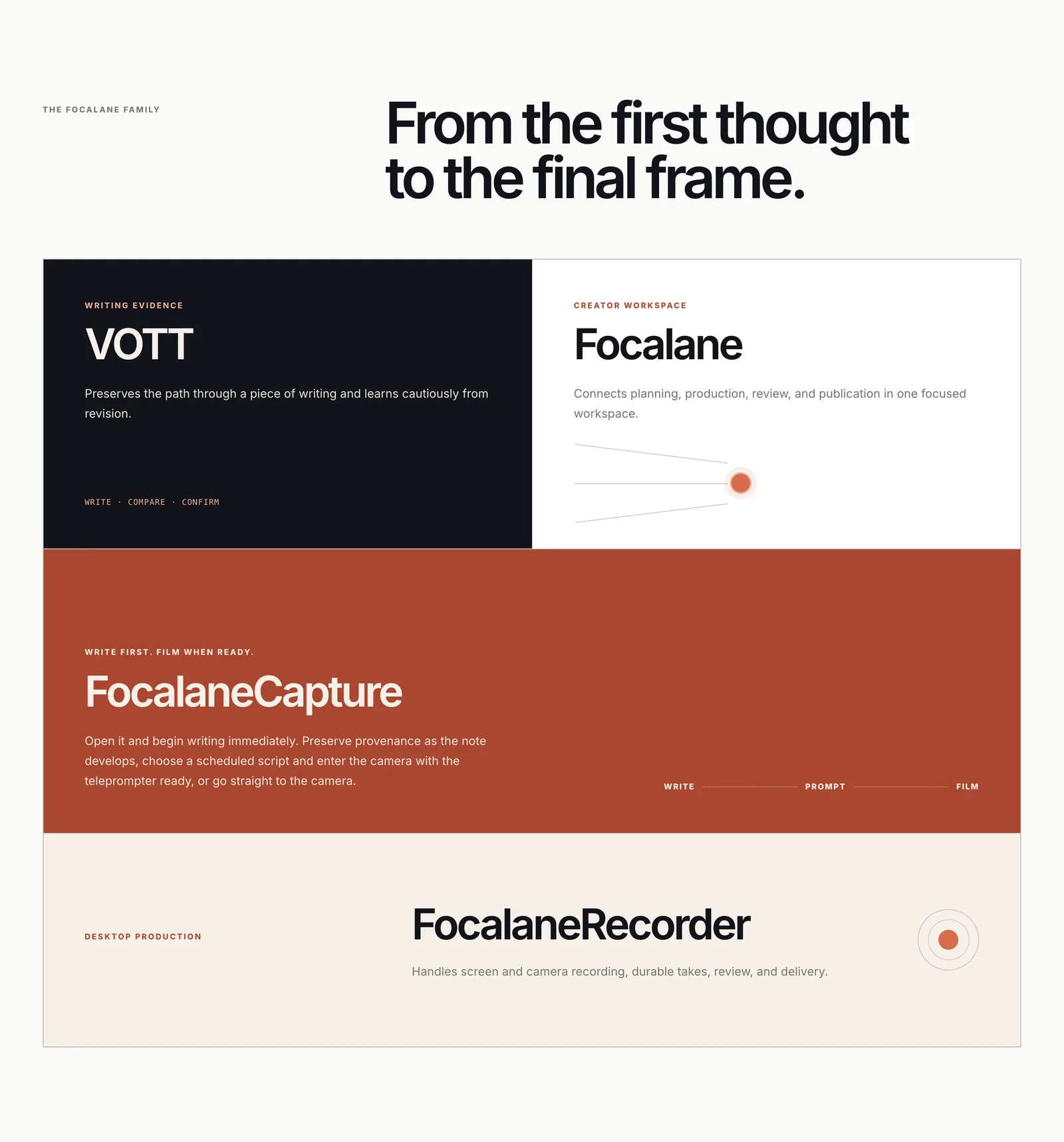
VOTT section “From the first thought to the final frame.” showing VOTT, Focalane, FocalaneCapture, and FocalaneRecorder as related products.
How VOTT's page places itself beside the Focalane family. Captured 24 September 2026.

Native spatial research

FocalaneSpatialLab

Read the record →
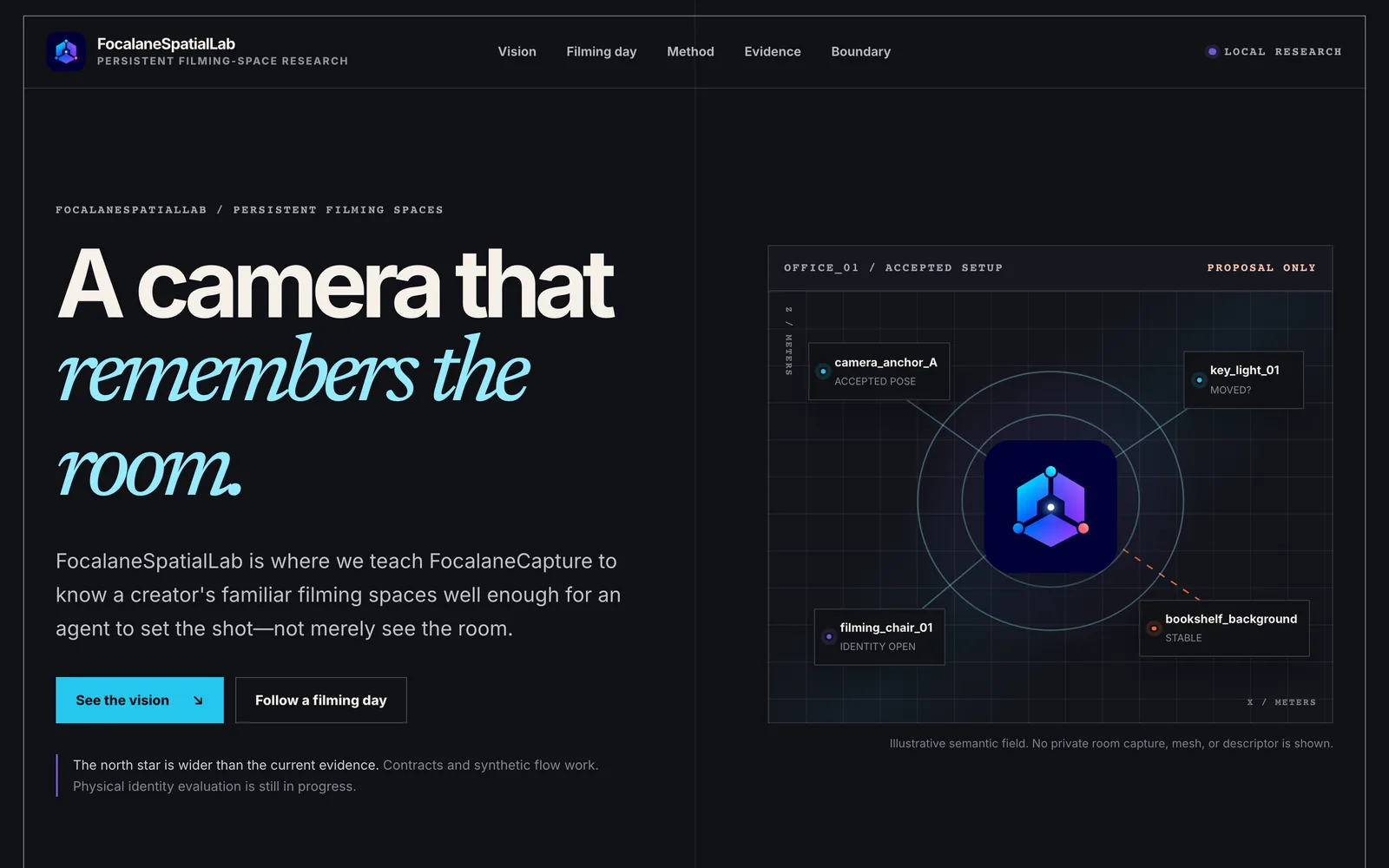
FocalaneSpatialLab research page headed “A camera that remembers the room.” beside an illustrative diagram of a filming space with labeled anchors.
FocalaneSpatialLab, the spatial research twin of FocalaneCapture. Local build, captured 24 September 2026. The diagram is illustrative; no private room capture is shown.

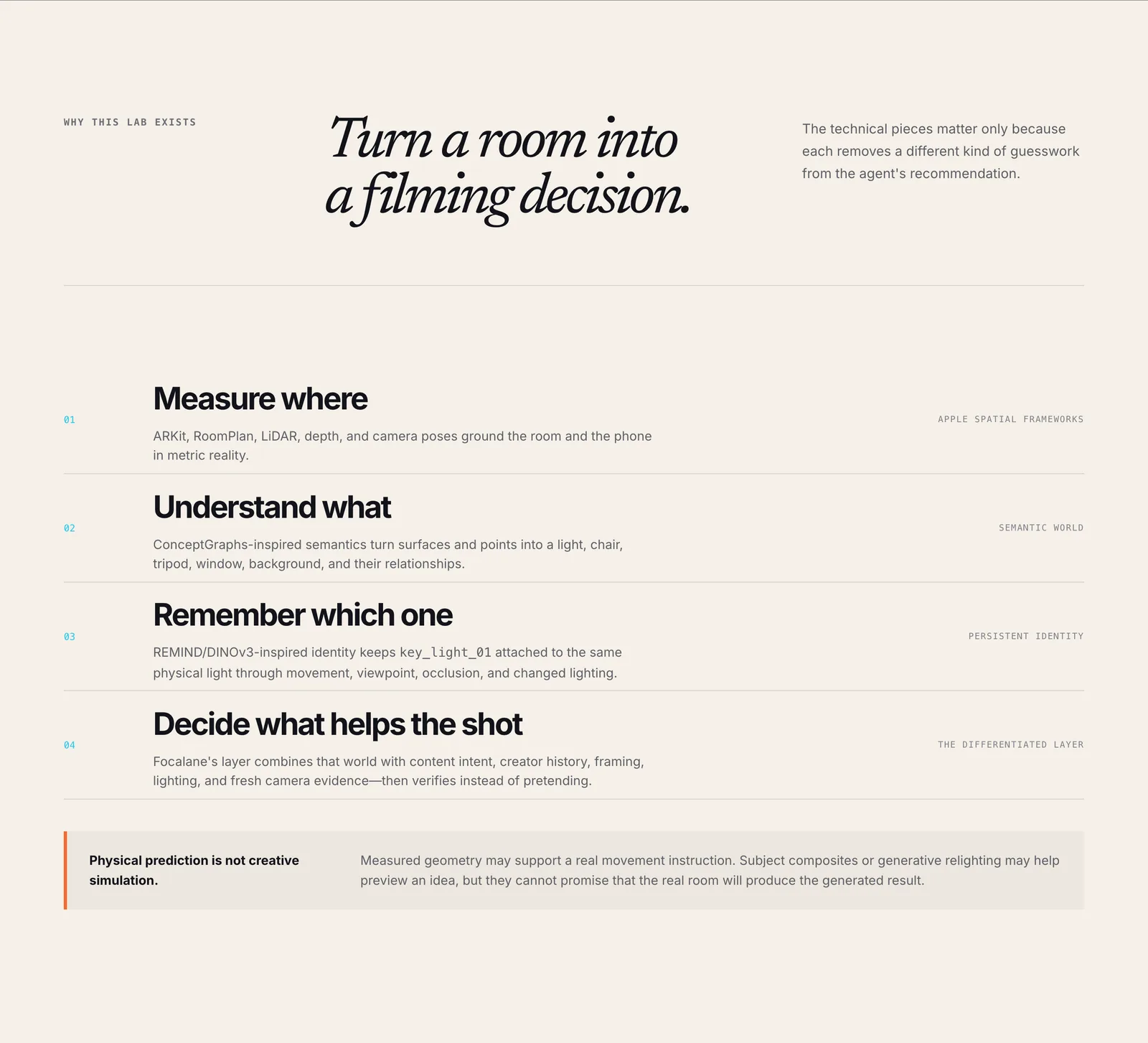
FocalaneSpatialLab section “Turn a room into a filming decision.”: four steps, Measure where, Understand what, Remember which one, and Decide what helps the shot, above a note that physical prediction is not creative simulation.
The four research layers. Local build, captured 24 September 2026.

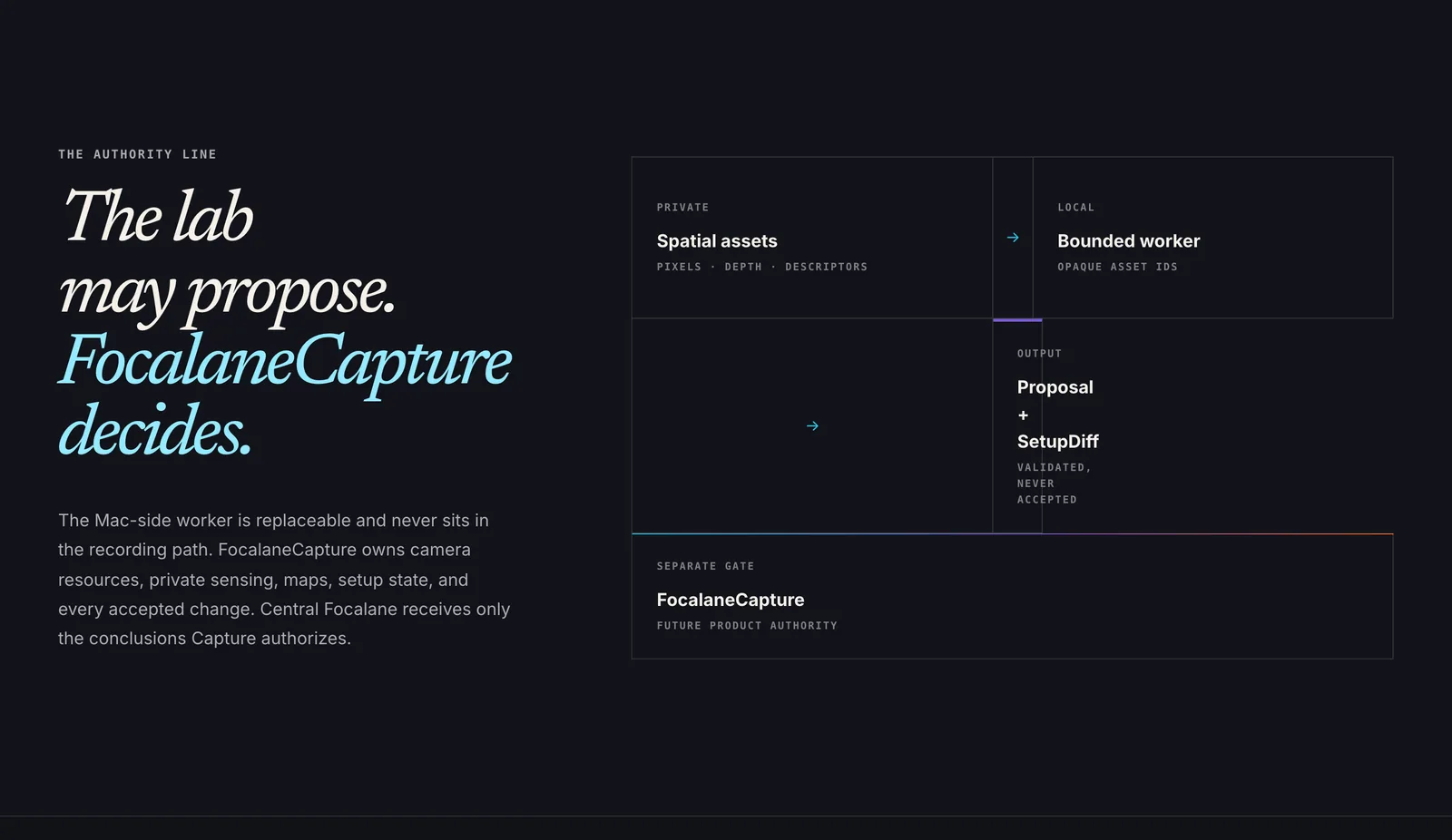
FocalaneSpatialLab section “The lab may propose. FocalaneCapture decides.”: private spatial assets flow to a bounded worker, whose proposal passes a separate gate before FocalaneCapture accepts it.
The authority line: the lab proposes, and FocalaneCapture decides. Local build, captured 24 September 2026.